Technical SEO Audit Checklist: 16 Steps You Can Run With a Crawler
A practical technical SEO checklist, in the order we work through a site. Each step says what to check, how to check it in a crawler, and which Neova checks flag it.
The Checklist at a Glance
| # | Area | Pass when |
|---|---|---|
| 1 | robots.txt | Answers 200, under 500 KiB |
| 2 | Blocked resources | 0 CSS or JS disallowed |
| 3 | Noindex | Only where intended |
| 4 | Canonicals | Target answers 200, indexable |
| 5 | Broken links | 0 internal 4xx or 5xx |
| 6 | Redirects | 1 hop, 301 or 308 |
| 7 | HTTPS | 1 version answers 200 |
| 8 | XML Sitemaps | Indexable 200 URLs only |
| 9 | Click depth | Key pages at 3 or less |
| 10 | Orphans | 0 indexable |
| 11 | Duplicates | 1 URL per page |
| 12 | hreflang | Every return link present |
| 13 | Rendering | Main text in raw HTML |
| 14 | Speed | LCP 2.5 s, INP 200 ms, CLS 0.1 |
| 15 | Structured data | 0 syntax errors |
| 16 | Logs and AI bots | Key pages visited, 0 blocks |
The order matters. A page that cannot be crawled will not be indexed, and a page that is not indexed does not need its schema fixed yet. Work from the top.
Before You Start: Set Up the Audit Crawl
- Crawl the whole site, or a sample per template. On a big site, a sample per page group finds most patterns in minutes.
- Turn on XML Sitemaps. Pages the sitemaps list but no link reaches are only found this way.
- Render a sample with JavaScript if the site uses a JavaScript framework, so step 13 has data.
- Connect Google Search Console. Clicks and Google's own index verdict tell you which findings touch pages that matter.
- Keep the speed polite unless the site is yours.
If you have not run a crawl before, the how to crawl a website guide covers setup, and the technical SEO crawler guide covers how to read the results. For a longer framework with the reasoning behind each area, see the technical SEO audit checklist framework on SEO ProCheck.
Crawlability: robots.txt and Blocked Resources
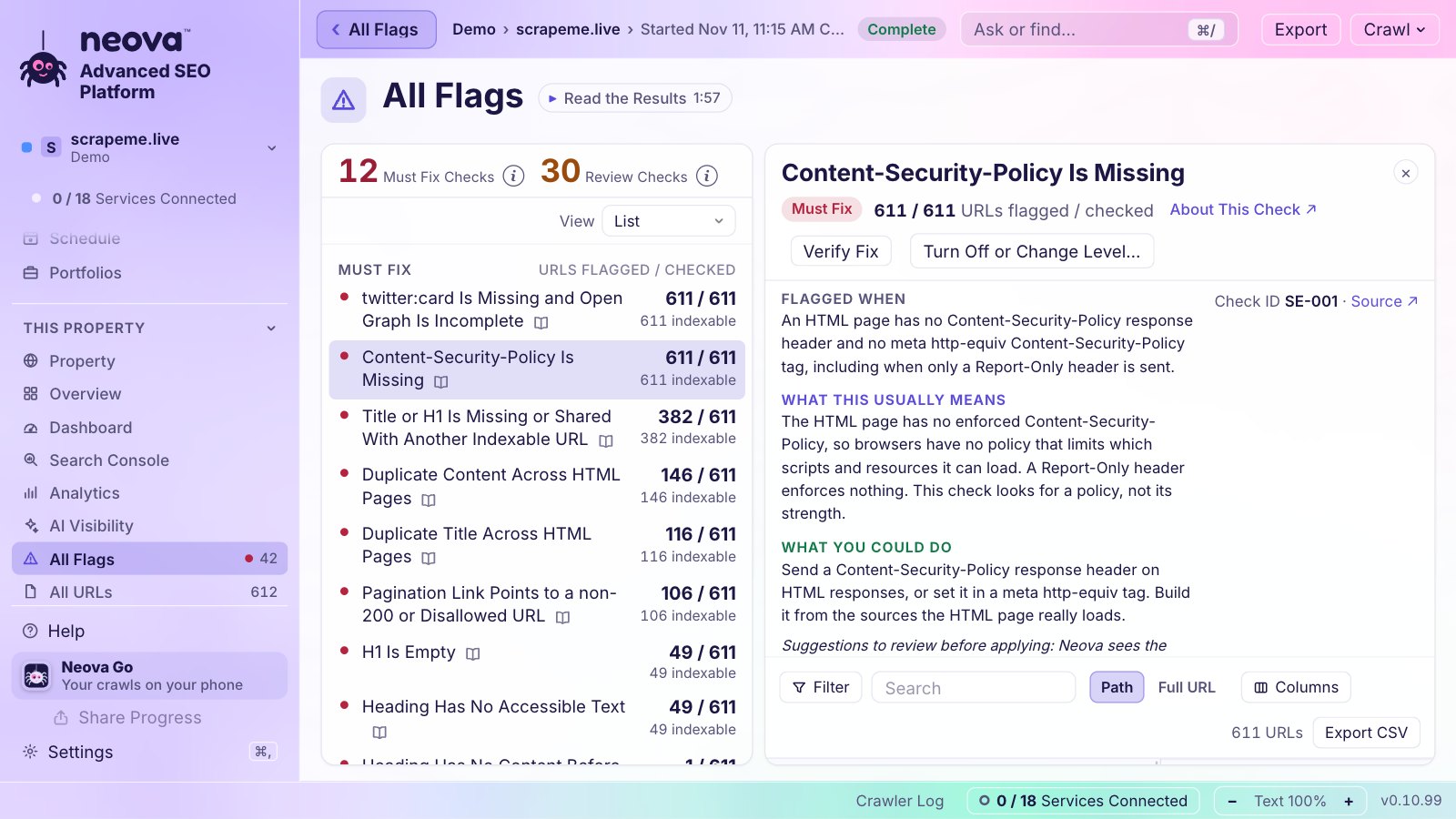
- 1. robots.txt answers, parses and blocks only what it should. Fetch it, read every rule, and match the rules against the crawled URLs. Google reads the first 500 KiB of the file and ignores the rest. In a crawler, look for internal URLs blocked by robots.txt and decide, one pattern at a time, whether that block is on purpose. Neova's robots.txt Tester explains every line in plain words, as Google documents it, with the crawled URLs each rule matches, and can test a draft before it ships. Checks: robots.txt Is Unreachable or Too Large, Internal URL Is Disallowed by robots.txt.
- 2. Pages can use the scripts, styles and images they need. If robots.txt blocks a JavaScript or CSS file, search engines render the page without it. In a crawler, crawl the resources too, then list pages that use a disallowed file. Check: HTML Page Uses a JavaScript File Disallowed by robots.txt.
Google's robots.txt specification has the 500 KiB limit and how each status code of the file is read.
Indexability: Noindex and Canonicals
- 3. Indexable pages carry no stray noindex. A noindex left over from staging is one of the most common reasons a page drops out. Check the meta robots tag and the X-Robots-Tag header, and make sure they agree. In a crawler, read the list of noindex pages: each should be there on purpose. Checks: Noindex Directive Is Present, Noindex Differs Between HTML and HTTP Header.
- 4. Canonicals point to indexable URLs that answer 200. A canonical is a hint, and a hint that points at a redirect, an error or a noindex page is one search engines tend to ignore. In a crawler, look at the canonical column next to the status of its target. With Search Console connected, also look for pages where Google chose another canonical. Checks: Canonical Points to a Redirecting URL, Google Chose a Different Canonical Than the Declared One.
Google's guide to consolidating duplicate URLs explains how canonicals are weighed.
Status Codes, Redirects and HTTPS
- 5. No internal links to 4xx or 5xx URLs, and no soft 404s. Broken internal links waste crawls and lose visitors. A soft 404 is worse to find: a page that says not found but answers 200. In a crawler, sort by status code, then open the inlinks of each error to find the links to fix. For soft 404s, search titles and H1s for not found phrases. Checks: Internal URL Returns 4xx, 5xx or No Response, Title or H1 Carries a Soft 404 Phrase.
- 6. No redirect chains, loops or temporary redirects between internal URLs. Each hop costs time, Googlebot follows at most 10, and a chain that ends on an error drops the page entirely. In a crawler, list every redirect with its hops and its final status, then update the internal links to point at the final URL. Checks: Internal URL Is in a Redirect Chain, Internal URL Uses a Temporary Redirect.
- 7. One version of the site answers 200, over HTTPS. http and https, with and without www: three of the four should redirect to the fourth. Neova's Start URL Check reads the site before the crawl starts and says what each version does. Check: Start URL Is Served Over HTTP With No Redirect to HTTPS.
Google's page on redirects and Google Search covers which redirects to use, and the redirects and HTTP status codes FAQ on SEO ProCheck answers the common questions.
XML Sitemaps and hreflang
- 8. XML Sitemaps list every indexable page, and nothing else. A sitemap is the site telling search engines which URLs matter. One file holds at most 50,000 URLs and 50 MB uncompressed. Redirects, errors, noindex pages and canonicalized URLs in it send mixed signals, and indexable pages missing from it are easy to overlook. In a crawler, crawl the sitemaps after the links, then compare the two lists both ways. Neova fetches the pages only the sitemaps list as a separate step and counts them apart. Checks: Indexable URL Is Not in Any XML Sitemap, Noindex URL Is Listed in an XML Sitemap, Redirecting URL Is Listed in an XML Sitemap.
See Google's sitemaps overview for the format and the limits.
- 12. hreflang sets are complete and point at the right URLs. Every page in a set should list every other version and itself, every target should return the link, and every target should be an indexable URL that answers 200. Language and region codes must be valid. In a crawler, read hreflang from the HTML head and the HTTP Link header, then check each target's status and its return link. Checks: Hreflang Return Link Is Missing, Hreflang Points to a non-200 URL.
Google's guide to localized versions of your pages has the rules and examples.
Site Structure: Depth, Orphans and Duplicates
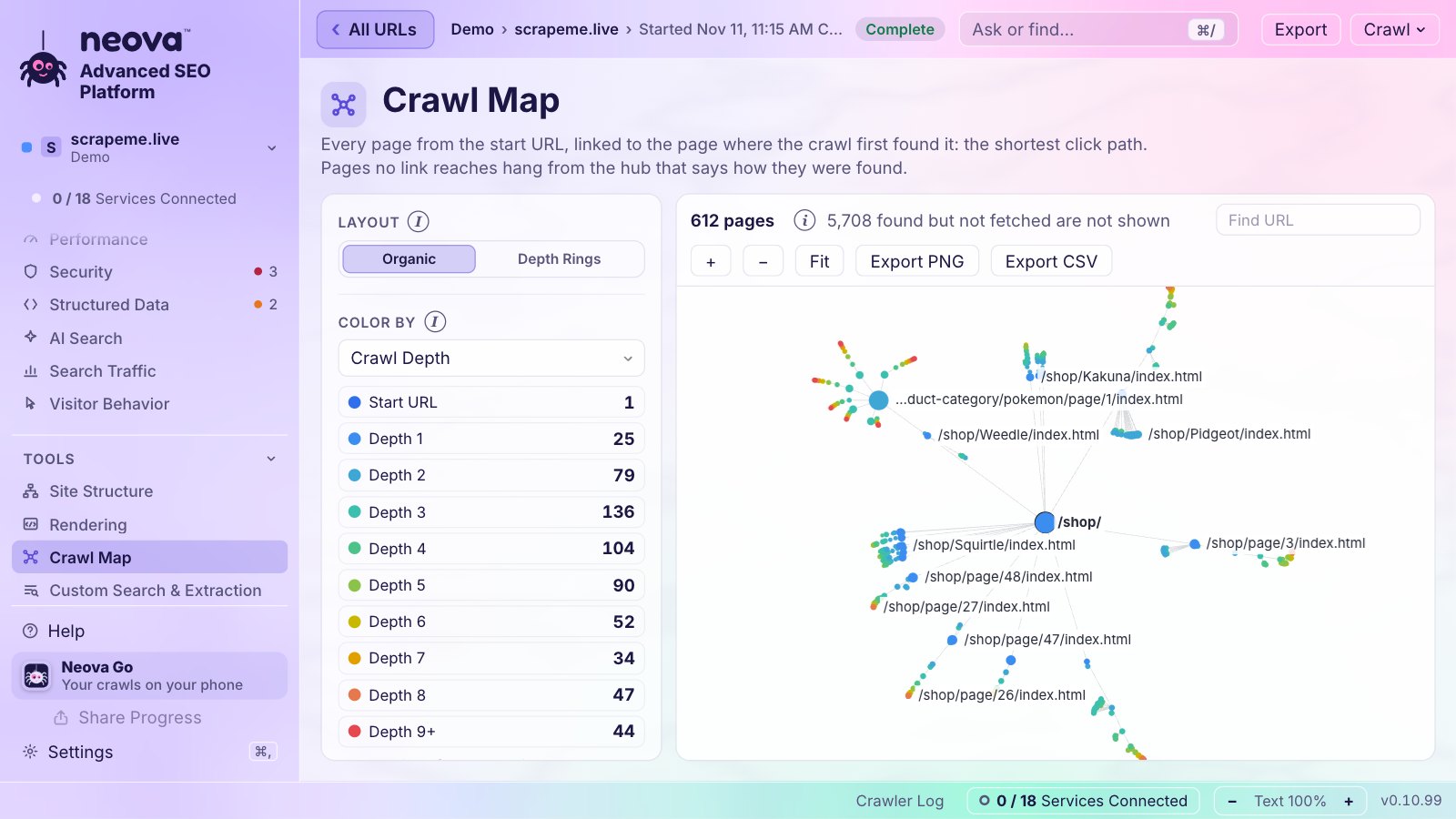
- 9. Important pages sit a few clicks from the home page. Pages deep in the structure get found later and crawled less often. In a crawler, sort indexable pages by crawl depth and look at what sits at 4 or more. Neova flags indexable pages from depth 4. Check: Indexable URL Is at Crawl Depth 4 or More.
- 10. No orphan pages and no pages reached only through dead ends. An orphan is an indexable page no internal link reaches. You find it by comparing the crawl with the sitemaps, the server log or Search Console. Also look for pages reached only through a redirect, a canonical or nofollow links. Checks: Orphan URL Returns 200 and Is Indexable, URL Is Only Reachable Through a Redirect.
- 11. No duplicate pages or URL variants that compete. The same page under two letter cases, with and without a trailing slash, or with parameters in a different order splits signals. In a crawler, compare the HTML of URL variants, then group pages with duplicate or near-duplicate text and titles. Checks: URL Variants Return the Same HTML, Near-Duplicate Content Across HTML Pages.
On a large site, the same issues decide where bots spend their visits; the crawl budget guide covers that side.
Rendering, Speed and Structured Data
- 13. Titles, links and main text are in the raw HTML. Google renders JavaScript, sometimes well after the crawl, and many other crawlers read only the HTML the server sends. In a crawler, render a sample per template and compare the rendered page with the raw HTML. Neova marks each page Server-Rendered, Hydrated or Needs JavaScript. Checks: Most Main Text Appears Only in Rendered HTML, Noindex Directive Is Removed by JavaScript. The JavaScript SEO crawler guide goes deeper.
- 14. Server response and Core Web Vitals are in the good range. Good means LCP 2.5 s or less, INP 200 ms or less and CLS 0.1 or less. In a crawler, run Lighthouse on one page per template, and read the Chrome UX Report for real-visitor data. Neova does both, the second with your own Chrome UX Report key. Checks: Server Response Time Is Slow in Lab or Field Data, CLS Is Over 0.1 in Lab or Field Data.
- 15. Structured data is valid and matches the page. Markup with syntax errors is ignored, and markup that disagrees with the page is a problem too. In a crawler, validate the schema on every page and compare it within each template. Checks: Structured Data Has Syntax Errors, Structured Data Lacks Required Properties or Differs From Visible Text.
For the background, see Google on Core Web Vitals and the introduction to structured data.
Server Logs and AI Crawlers
- 16. Logs show bots spend their visits on the right URLs, and AI crawlers get what you mean them to get. A crawl shows what the site serves. A server log shows what Googlebot, Bingbot and AI crawlers actually asked for, and what they got back. Count a request as Googlebot only when its address checks out; a user agent string is easy to fake. Then look for key pages bots never visit, and bot visits that land on errors. For AI crawlers, check what robots.txt lets each one fetch, and what the server really hands it, since a firewall or CDN rule can block a crawler robots.txt allows. Checks: Search Bot Share of 3xx, 4xx or 5xx Responses Is Rising, Request With an AI Search Crawler User Agent Is Blocked.
In Neova, the server log comes from an Apache or Nginx log file, or from your own Cloudflare account, and counts bots only when their address is on the list each company publishes. The What Each AI Assistant Is Served view asks sampled pages as 10 AI agents and shows who gets full access. The log file analysis and AI crawlers guides cover both in depth, and Google explains how to verify Googlebot.
This Checklist on Our Own Sites
We run the same list on our own sites. A full Neova crawl of seoprocheck.com on October 17, 2026 fetched 10,222 URLs in 61 minutes, 4,561 of them HTML pages that answered 200, with 99.98% completeness. What it flagged:
| Flag | Count |
|---|---|
| Meta description over 155 characters | 582 |
| Title over 60 characters | 557 |
| Duplicate title | 56 |
| Canonical to another internal URL | 5 |
| Image without alt text | 2 |
Our SEO pass on neova.app on November 20, 2026 found five things the checklist covers, all fixed the same day:
| Step | Before | After |
|---|---|---|
| 7. http:// version | 200 | 301 to https |
| 5. Unknown address | 503 | 404 |
| 1. Cloudflare email script | Blocked on 1,320 pages | Allowed |
| 1. Favicon files | Behind Disallow: / | Allowed |
| Meta descriptions | Some over 160 | 160 or less, 1,354 pages |
The favicon one was visible in Google: with the files blocked, a plain letter showed next to neova.app instead of the logo. The site's 1,358 sitemap URLs in 15 languages passed the hreflang step with every return link in place.
When you have worked through the list, fix, then crawl again. Neova's Verify Fix re-fetches only the URLs a check flagged and says how many are fixed, and Compare Crawls shows what changed between two crawls. Neova runs 694 checks; download Neova to run them on your site.
Questions
What is a technical SEO audit checklist?
A list of the things that decide whether search engines can crawl, render and index a site, worked through in a fixed order. Working through it the same way each time turns an audit into a routine.
What are the steps of a technical SEO audit?
Crawl the site with its XML Sitemaps, then check crawlability, indexability, status codes and redirects, sitemaps, site structure and duplicates, international tags, rendering, speed and structured data, and finally the server logs. Fix the issues that touch the most indexable pages first, then crawl again.
How often should I run a technical SEO audit?
A full audit once or twice a year, and a lighter crawl after every significant release. Sites that change often benefit from a weekly scheduled crawl compared with the previous one.
Can I run this checklist with a free tool?
On a small site, yes. Neova's Free plan crawls up to 1,000 URLs per crawl with every check, JavaScript rendering and Search Console. Server logs and Core Web Vitals snapshots come with the paid plans. See the free SEO crawler guide for other options.
Do I need server logs for a technical SEO audit?
Not to start. A crawl covers most of the checklist. Logs add what bots actually did, which matters most on large sites and when pages are slow to be indexed.