Technical SEO Crawler: What It Does and How to Pick One
A technical SEO crawler reads a site the way a search engine does and tells you what gets in the way. Here is what it should check, the numbers behind each check, what a full crawl of our own site turned up, and how to pick a tool.
What a Technical SEO Crawler Does
A technical SEO crawler starts at one URL, fetches it, reads the links and follows them, the same loop Googlebot runs. For each URL it records the status code, the headers, the HTML, the canonical, the robots directives and the links in and out.
The crawl is half the job. The other half is comparing pages with each other and with the rules search engines publish. One broken link is easy to see. A canonical that points to a redirect on 3,000 product pages is not, and that is where a crawler earns its keep.
Most crawlers also read the XML Sitemaps and robots.txt, so they show which pages the site says matter, which ones it blocks, and where those two stories disagree.
What a Technical SEO Audit Tool Should Check
Every serious site audit crawler covers the same core areas. Here they are with the target to aim for and the Neova check that flags a miss.
| Area | Target | Neova check |
|---|---|---|
| Status codes | 0 internal links to 4xx or 5xx | Internal URL Returns 4xx, 5xx or No Response |
| Redirects | 1 hop, no chains | Internal URL Is in a Redirect Chain |
| Canonicals | Point to a URL answering 200 | Canonical Points to a Redirecting URL |
| XML Sitemap size | 50,000 URLs, 50 MB per file | XML Sitemap Has Over 50,000 Entries |
| XML Sitemap coverage | Every indexable page listed | Indexable URL Is Not in Any XML Sitemap |
| robots.txt | 500 KiB read by Google | robots.txt Is Unreachable or Too Large |
| Crawl depth | 3 clicks or fewer | Indexable URL Is at Crawl Depth 4 or More |
| Titles | 60 characters (common default) | Title Over 60 Characters |
| Meta descriptions | 155 characters (common default) | Meta Description Over 155 Characters |
| hreflang | Return link on every target | Hreflang Return Link Is Missing |
The hard limits come from the sources: 50,000 URLs and 50 MB per file from the sitemaps.org protocol, 500 KiB from Google's robots.txt specification, return links from Google's hreflang guide. Title and description lengths are display defaults, not rules: Google cuts by pixel width, so treat them as Review, not Must Fix.
For a longer walk through each area, see the technical SEO audit checklist on SEO ProCheck.
What a Full Crawl of Our Own Site Found
We crawled our own site, seoprocheck.com, with Neova on October 17, 2026, a full crawl with the XML Sitemaps. These are the numbers.
| Measure | seoprocheck.com, Oct 17, 2026 |
|---|---|
| URLs fetched | 10,222 |
| Time | 61 minutes |
| HTML pages answering 200 | 4,561 |
| URLs in the XML Sitemaps | 1,835 |
| Reached by links, in no sitemap | 2,727 |
| In a sitemap, reached by no link | 1 |
| Completeness | 99.98% |
| Page bodies | 1.66 GB raw, 340 MB stored |
| Flag | URLs |
|---|---|
| Meta Description Over 155 Characters | 582 |
| Title Over 60 Characters | 557 |
| Duplicate Title Across HTML Pages | 56 |
| Canonical to another internal URL | 5 |
| Image Is Missing Alt Text | 2 |
Two lessons. First, the sitemaps told half the story: 2,727 URLs were reachable by links but listed nowhere, which only a crawl that follows links and reads the sitemaps can show. Second, the biggest counts were length flags, which are judgment calls. The 5 canonicals and 2 missing alt texts are fewer but quicker to settle. Sort by what a flag affects, not by how big its number is.
How to Run a Technical SEO Crawl
- Pick the start URL. Use the home page version that answers 200. If http or the other host answers 200 too, that is your first finding.
- Decide the scope. The whole site, a few folders, or a sample of each template. On a big site, a sample per template finds the pattern faster.
- Turn on XML Sitemaps. Crawling them after the links shows pages the sitemaps list but no link reaches.
- Decide on JavaScript rendering. On a framework site, render a sample and compare it with the raw HTML.
- Set a polite speed. A few URLs a second is plenty. Go faster only on a site you own.
- Watch the first minutes. If the URL count climbs much faster than expected, you have found a crawl trap: a calendar, a faceted filter or a session ID. Exclude it and carry on.
- Read the summary first. Start from the issues that touch the most indexable pages.
New to this? Your First Crawl walks through it in Neova.
Reading the Results Without Drowning
A full audit of a medium site can produce thousands of flags. Most come from a few causes, usually a template.
- Group by template. If 90% of product pages share a flag, it is one fix, not 4,000 tickets.
- Weigh by traffic. A broken page with search clicks matters more than one nobody visits. Join Google Search Console data to the crawl.
- Separate Must Fix from Review. A 5xx on a key page is a must-fix. A title a few characters over the limit is a judgment call.
- Check the source. When a developer asks why a rule exists, answer with a Google or W3C document. The HTTP status codes reference on SEO ProCheck covers what each status code means.
- Crawl again after the fix. Comparing two crawls is the only proof the fix shipped and broke nothing else.
How to Choose the Best SEO Crawler for You
There is no single best SEO crawler. A freelancer auditing small sites needs something different from an in-house team with a million URLs. These questions sort it out.
| Question | Look for | Neova |
|---|---|---|
| Where does it run? | Your computers, or a browser | |
| How big can a crawl get? | URL limit, stored on disk | Up to 5 million URLs |
| Does it render JavaScript? | Raw vs rendered, side by side | ✓ |
| Are checks explained? | Rule, meaning, fix, source | 694 checks |
| Does it compare crawls? | New, fixed, changed URLs | ✓ |
| What comes after? | Exports, tickets, alerts | ✓ |
| Can you try it free? | A plan or a trial | 1,000 URLs, every check |
The 5 million figure is on the Desktop plan and depends on your computer. Our comparison page puts Neova next to Screaming Frog, Sitebulb and others, line by line, from their own docs.
How Neova Does Technical SEO Crawling
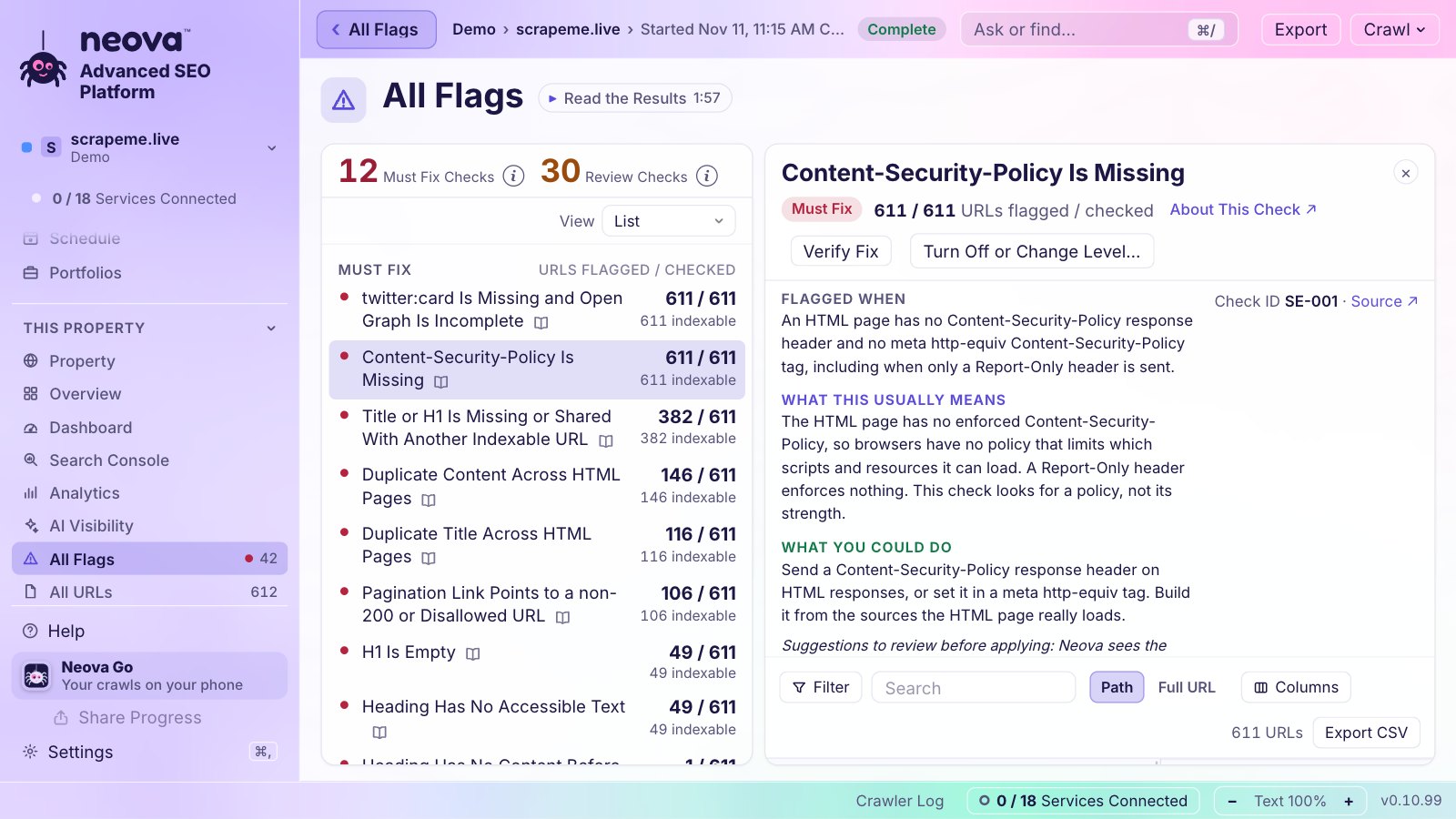
Neova is a desktop SEO crawler for Mac (Apple silicon), Windows and Linux, with Neova Online in the browser on the same account. It crawls from a start URL, its links and its XML Sitemaps, then runs 694 checks. Each check says when it flags, what it usually means and what you could do, and links its source.
- Scope: a full crawl, folders, a sample per page group, or a list of URLs.
- Polite by default: 3 URLs a second, slowing on its own when the server answers 429 or 503.
- Every URL accounted for: each URL found lands in one bucket, and Discovery offers to exclude a crawl trap without stopping.
- Rendering: optional JavaScript rendering in Chrome, compared with the raw HTML.
- After the crawl: Must Fix and Review flags, tickets per check and page group, an Action Plan, Compare Crawls, and exports from CSV to a branded PDF.
The features page has the full list, and Compare lines it up with other crawlers.
A Short Technical SEO Crawl Checklist
- One version of the home page answers 200; the others redirect to it.
- No internal links to 4xx or 5xx URLs.
- No redirect chains or loops between internal URLs.
- Canonicals point to indexable URLs that answer 200.
- Every indexable page is in an XML Sitemap, and nothing else is.
- No key page deeper than 3 clicks from the home page.
- No page answers 200 with a not found message. See Title or H1 Carries a Soft 404 Phrase.
- Titles, links and main text are in the raw HTML.
- robots.txt blocks only what it is meant to block.
Keep Google's guide to canonical URLs open while you work, and the SEO audit FAQ on SEO ProCheck for the questions clients ask.
Questions
What is a technical SEO crawler?
A program that fetches a site page by page, following links the way a search engine does, and records status codes, directives, canonicals and links. It then checks that data against search engine rules and flags what gets in the way of crawling and indexing.
What is the best SEO crawler?
The one that fits your sites. Compare where it runs, how big a crawl can get, whether it renders JavaScript, how clearly each finding is explained, and whether it compares crawls. Try it on your own site before you decide.
Is a site audit crawler the same as Google Search Console?
No. Search Console shows what Google saw and did. A crawler shows what your site serves right now, on every URL it can reach. They work best together, which is why many crawlers join Search Console data to the crawl.
How long does a technical SEO crawl take?
It depends on the size and the speed you set. Our own full crawl of seoprocheck.com fetched 10,222 URLs in 61 minutes on October 17, 2026. A sample per template takes minutes.
How often should I run a technical SEO crawl?
After every significant release, and weekly for sites that change often. Compare each crawl with the one before so changes stand out.
Can I try Neova for free?
Yes. The Free plan crawls up to 1,000 URLs a crawl with every check, and the Desktop plan has a 14-day trial without a card. See pricing or download Neova.