Advanced SEO Crawler: JavaScript, Large Sites, Crawl Comparison and Monitoring
Any crawler can find a 404. An advanced SEO crawler handles the sites that break simple ones: JavaScript frameworks, millions of URLs, faceted navigation, migrations, and sites that change every day.
What Makes an SEO Crawler Advanced
Every crawler fetches, parses, follows links and reports. What separates an advanced one is how it behaves when the site gets hard.
| Hard case | What to look for | In Neova |
|---|---|---|
| JavaScript sites | Raw vs rendered, per page | ✓ |
| Crawl traps | Spotted and excluded while crawling | Discovery, every minute |
| Very large sites | Crawl kept on disk | 60 MB memory at 60,000 URLs |
| Change over time | Crawl against crawl | Compare Crawls |
| Daily releases | Schedules and alerts | Slack, Microsoft Teams |
| Team workflow | CLI, CI gate, API | ✓ |
| Several sites | Crawls side by side | Up to 4 at once |
Up to 4 crawls at once is on the Desktop plan and up, in one window. Big crawls are limited by your disk, not your memory.
JavaScript SEO Crawling: Raw HTML Against Rendered
Google crawls the HTML first and renders the page later, when resources allow, as its JavaScript SEO basics explain. Many AI crawlers may never render. So the question is what is missing before rendering.
| Only in rendered HTML | Neova check |
|---|---|
| Main text | Most Main Text Appears Only in Rendered HTML |
| Internal links | Internal Links Appear Only in Rendered HTML |
| Canonical | Canonical Is Set Only by JavaScript |
| Title | Title Appears Only in Rendered HTML |
| Redirect | HTML Page Redirects Through JavaScript |
Rendering is slow and heavy. On a big site, render a few pages per template first. A fully server-rendered template does not need more. The JavaScript SEO crawler guide goes deeper.
Enterprise SEO Crawler Needs: Scale, Traps and Templates
Google's notes on managing crawl budget say who needs to care.
| Site | Unique pages | Content changes |
|---|---|---|
| Large | 1 million or more | Weekly |
| Medium or larger | 10,000 or more | Daily |
Below that, crawl budget is rarely the problem. SEO ProCheck explains when crawl budget matters in more detail. Large sites still fail crawls in predictable ways, and most start with a crawl trap.
| Crawl trap | Example URL | Usual fix |
|---|---|---|
| Calendar | /events/2031/04/ | Exclude the pattern |
| Repeating folder | /shop/shop/shop/ | Fix the relative link |
| Session ID | /?sid=8f3a2c | Keep IDs out of links |
| Filter combinations | ?color=red&size=9&sort=price | Choose which facets are pages |
| Sort and view | ?sort=price&view=grid | Canonical to the plain URL |
For filters, SEO ProCheck's faceted navigation guide covers which facets deserve their own page. Sampling helps too: a fixed number of pages per template covers every template in minutes. Segments by regex show status codes per section, and extraction by XPath, CSS selector or regex pulls out prices, authors or schema fields.
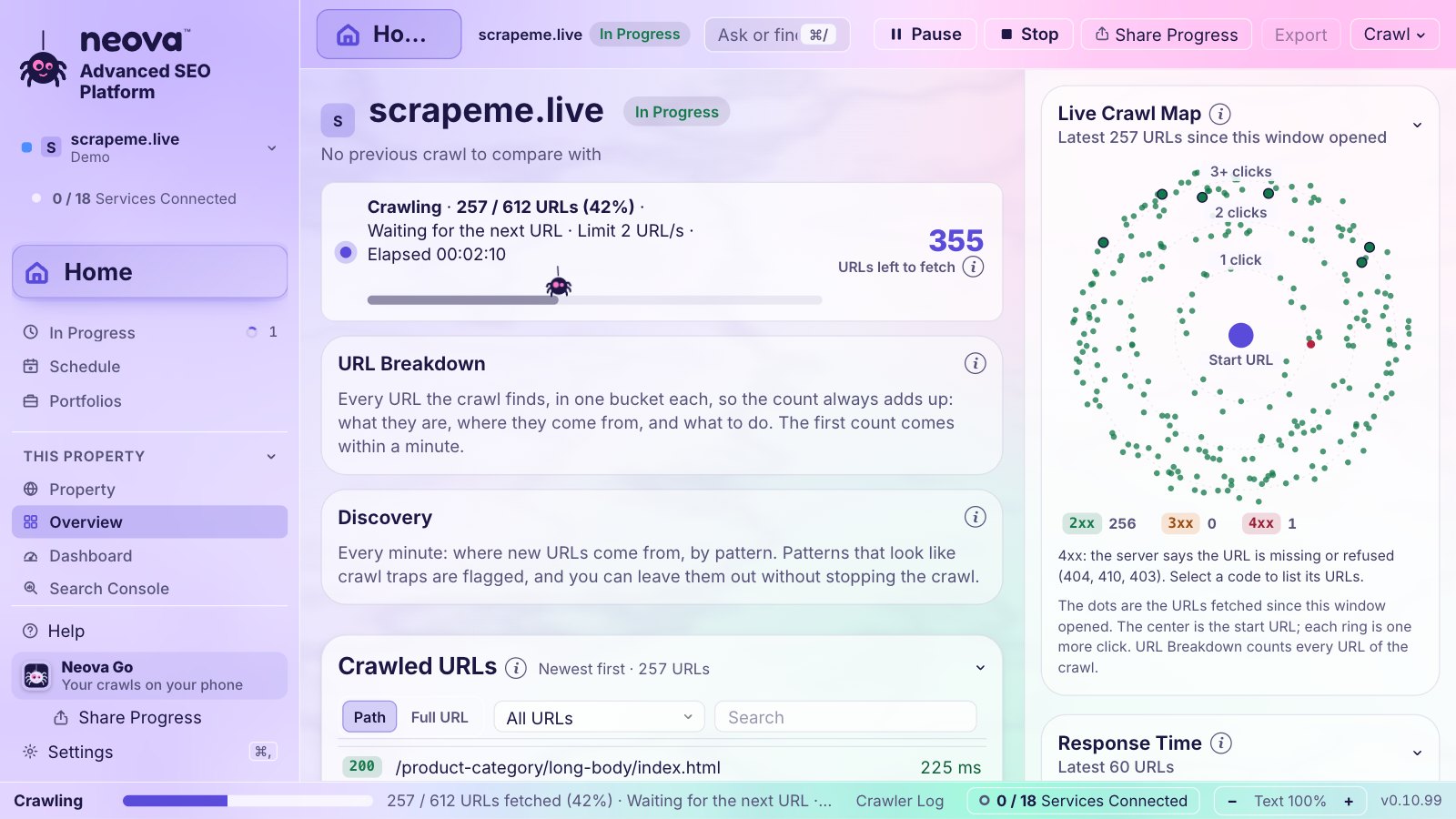
Scale on our own site, seoprocheck.com, on October 17, 2026: a full crawl fetched 10,222 URLs in 61 minutes, and 1.66 GB of raw page bodies were stored as 340 MB.
Crawl Comparison: Seeing What Changed
One audit tells you the state of the site. Comparing two tells you what happened to it. Look at:
- URLs new, removed or changed between the two
- Flags new and flags resolved
- Titles, meta descriptions and H1s, before and after
- robots.txt rules that changed. See robots.txt Rules Changed Since the Previous Crawl.
- A sharp change in the number of crawlable URLs
Compare like with like: a full crawl with a full crawl, same settings. A sample against a full crawl shows differences that are only about scope.
Monitoring: Scheduled Crawls and Alerts
Monitoring is crawl comparison that runs on its own. Match the schedule to how often the site ships.
| Site | Full crawl | Core Web Vitals snapshot |
|---|---|---|
| Busy store | Daily | Weekly |
| Most sites | Weekly | Weekly |
| Quiet site | Monthly | Monthly |
Weekly is enough for Core Web Vitals field data because the Chrome UX Report is a 28-day rolling average. Good alert triggers: new flags since the last crawl, a drop in clicks, a worse Core Web Vitals grade, a tracked search leaving the top 10. Send alerts where people already look, and keep them few.
Migrations and Staging Sites
Migrations are where crawling pays for itself. Crawl the old site, crawl staging, and compare status codes, noindex, canonicals, titles, H1s, and URLs that exist on one side only. Build the redirect map from old to new and check each live redirect after launch.
Staging usually needs HTTP authentication, a robots.txt that disallows everything, and links that point to the live domain. A crawler that rewrites live-domain links to the staging host saves hours. SEO ProCheck's site migration FAQ answers the questions that come up on launch day.
We found two launch mistakes on our own site. Until our SEO pass on November 20, 2026, http://neova.app answered 200 instead of a 301 to https, and unknown addresses answered 503 from a coming-soon page instead of 404. Both are fixed now, and both are what a crawl before and after launch should catch. See HTTP URL Returns 200 on an HTTPS Site.
Automation: CLI, CI and APIs
At scale, crawling becomes part of the release.
| Piece | Job | In Neova |
|---|---|---|
| Command line | Start crawls, read results | neova CLI |
| CI gate | Fail a build on new flags | neova check |
| API | Dashboards, internal tools | REST API, 60 requests a minute |
| MCP server | AI assistants read crawls | ✓ |
| Tickets | One per issue and template | Jira, Linear, Asana |
The REST API is part of Neova Online, on the Desktop + Online plan and up. A CI gate works best with a baseline crawl of the last good release: the build fails only on flags that are new, so old debt does not block every deploy.
How Neova Handles Advanced Crawling
- Rendering: renders in Chrome, all pages or a few per page group, and marks each page Server-Rendered, Hydrated or Needs JavaScript.
- Scale: keeps the crawl on disk, offers Sample per Page Group, and Discovery offers Keep Crawling, Skip or Exclude for each trap.
- History: Compare Crawls, and Historical Data keeps every crawl, robots.txt version and XML Sitemap.
- Server logs: Apache or Nginx logs, or your own Cloudflare account; Googlebot, Bingbot and AI crawlers count only when their address is on the list each company publishes.
- Past the sources: keeps every month of Search Console data after Google drops it at 16 months.
- Migrations: Redirect Map with a confidence per URL, Live Redirect Check, Staging vs. Production and URL Rewriting.
See every feature on the features page, or how Neova compares on Compare.
Questions
What is an advanced SEO crawler?
A crawler built for hard sites: it renders JavaScript and compares it with the raw HTML, handles crawl traps and very large sites, compares crawls over time, runs on a schedule and fits into tickets, CI and APIs.
Do I need to render every page with JavaScript?
Usually not. Render a sample per template first. Templates whose content is all in the server HTML do not need full rendering; templates that depend on JavaScript do.
When does crawl budget matter?
Google says mainly for sites with 1 million or more unique pages that change weekly, or 10,000 or more that change daily. Smaller sites rarely hit it.
How big a site can an enterprise SEO crawler handle?
It depends on the tool and, for desktop crawlers, on the computer. Neova keeps the crawl on disk and goes up to 5 million URLs a crawl on the Desktop plan, depending on your computer. See pricing.
Can I fail a deployment on SEO problems?
Yes, with a CI gate. In Neova, neova check compares a crawl with a baseline and exits with an error code when new flags appear, so the pipeline can stop the release.