JavaScript SEO Crawler: How to Crawl a JavaScript Website
A site built with React, Vue, Angular or Next.js can look perfect in a browser and still hand crawlers an almost empty page. A JavaScript SEO crawler shows you both versions, the HTML the server sends and the page after scripts run, and where they disagree.
Why JavaScript Sites Need a Different Crawl
Google handles JavaScript pages in three phases: crawl, render in a headless Chromium when it has the resources, then index. Google's JavaScript SEO basics explain the queue between crawl and render. Until rendering happens, Google works with the raw HTML.
Other crawlers may never render. Many AI crawlers and some search engines read only the HTML the server sends. So the real question is what is missing before rendering, and whether anything changes along the way.
A plain HTML crawler sees the raw response only. A JavaScript SEO crawler loads each page in a real browser, waits for it to settle, and keeps both versions side by side. SEO ProCheck explains how search engines and AI crawlers render your pages step by step.
Client-Side, Server-Side, Static and Hydrated Pages
How the site builds its pages decides what the raw HTML should hold.
| How the page is built | Raw HTML holds | Text without JavaScript | Typical setup |
|---|---|---|---|
| Client-side rendering | A root div, script tags | – | React, Vue or Angular app |
| Server-side rendering | The full page | ✓ | Next.js, Nuxt, Angular SSR |
| Static generation | The full page, prebuilt | ✓ | Static exports, site generators |
| Hydration | The full page, then scripts | ✓ | Most framework sites |
| Mixed | Depends on the template | ◐ | Most real sites |
A Next.js site can serve product pages from the server and build search results or account pages in the browser. That is why you check per template: one client-rendered template can hide thousands of URLs.
Rendered vs Raw HTML: What to Compare
Compare element by element. For each one: is it in the raw HTML at all, and does JavaScript change it?
| Element | Risk if only rendered | Neova check |
|---|---|---|
| Title | Page has no name | Title Appears Only in Rendered HTML |
| Meta description | No snippet source | Meta Description Appears Only in Rendered HTML |
| H1 | No visible topic | H1 Appears Only in Rendered HTML |
| Canonical | Two different signals | Canonical Is Changed or Removed by JavaScript |
| Noindex | Google may skip rendering | Noindex Directive Is Removed by JavaScript |
| Internal links | Found late, or never | Internal Links Appear Only in Rendered HTML |
| Main text | Thin raw page | Most Main Text Appears Only in Rendered HTML |
Structured data and hreflang can be injected by scripts too. Check they are present, and identical, in both versions. The safest pattern is boring: everything that matters for search is in the server HTML, and JavaScript only adds interaction.
Numbers That Matter on a JavaScript Site
| Limit | Value | Source |
|---|---|---|
| HTML Googlebot fetches per file | First 15 MB | |
| Rendering time flagged | Over 4 seconds | JavaScript Rendering Takes Over 4 Seconds |
| Main text only in rendered HTML | Over half, 50+ words | Page Group Relies on JavaScript Rendering for Main Text or Navigation |
| Navigation links only rendered | Half or more | Page Group Relies on JavaScript Rendering for Main Text or Navigation |
| Hash routes sent to the server | Nothing after the # | RFC 3986 |
The 4-second and half-the-text lines are Neova's thresholds, stated in each check's rule. The 15 MB and the fragment rule come from Google and the URI standard.
How to Set Up a JavaScript SEO Crawl
- Crawl without rendering first. A fast raw crawl shows what the server sends. If it finds very few pages, the navigation probably needs JavaScript.
- Render a sample per template. A few pages per page group show which templates depend on scripts. Render the whole site only where they do.
- Let pages settle. Wait for the network to go quiet and the page to stop changing.
- Do not block scripts. See HTML Page Uses a JavaScript File Disallowed by robots.txt.
- Keep the speed polite. One rendered page can mean dozens of requests for scripts, styles and API calls.
- Read failures too. See JavaScript Rendering Failed or Timed Out.
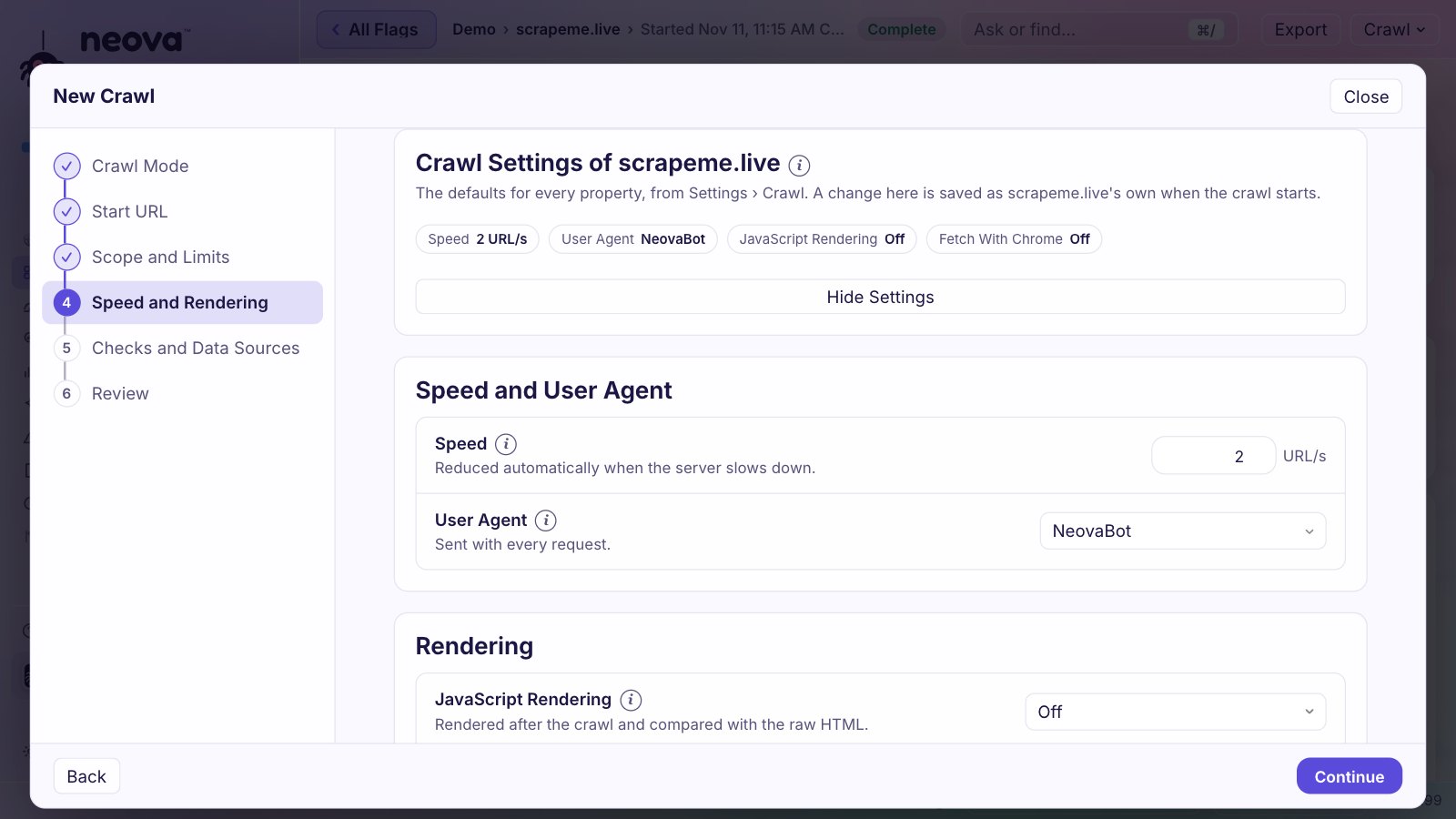
The how to crawl a website guide covers scope, speed and permission.
Common JavaScript SEO Problems a Crawler Finds
- Links that are not links. Google follows
aelements with anhref. A button with a click handler is not a link. See Google's guide to crawlable links. - Routes behind a hash.
/#/productslooks like one page, because the part after the hash never reaches the server. Use the History API and real paths. - Soft 404s. A single page app often answers 200 for every route, then shows a not found message in the browser.
- Content that waits for a click or scroll. Crawlers do not click tabs. Google's notes on lazy-loaded content show how to load it so it gets indexed.
- Metadata stuck on the first route. Title and canonical keep the first page's values unless the router updates them.
- Redirects in JavaScript. Slower to be picked up than a server redirect, and some crawlers never see them.
- Errors that remove content. One failed API call can leave a page without its title or main text. See JavaScript Errors Remove Title, Canonical or Main Text When Rendered.
More answers in SEO ProCheck's JavaScript SEO FAQ.
Crawling React, Next.js and Single Page App Sites
A single page app. Expect a near-empty raw HTML and a small raw crawl. Render a sample of each route type and check that every route has its own URL, title and canonical, and a real 404 status for pages that do not exist. Server rendering or static generation is the fix that helps every crawler at once.
A Next.js or Nuxt site. Most pages are already in the raw HTML. Look for the exceptions: routes built in the browser, metadata set by a client component, menus that render only after hydration.
A mix. Group URLs by template and look at the share of pages whose content is in the raw HTML, per group. One group far below the rest is usually one template to fix. Test after each release: a small component change can move a title or a link from the server to the browser.
Beyond Google: AI Crawlers and the Raw HTML
AI assistants fetch pages to answer questions, and many of their crawlers read the HTML as it arrives. A page that needs JavaScript for its main text may be close to empty for them, even when Google indexes it fine. SEO ProCheck lays out SSR vs CSR and AI visibility.
So a JavaScript SEO crawl should also show what each AI crawler is served. The AI crawlers guide covers the tokens and robots.txt rules.
How Neova Crawls JavaScript Websites
Neova runs on Mac (Apple silicon), Windows and Linux, with Neova Online in the browser. JavaScript rendering is on every plan, the Free plan included.
| Feature | What it does |
|---|---|
| Rendering in Chrome | All pages, or a few per group |
| Rendering Wait | Waits until the page settles |
| Rendering column | Server-Rendered, Hydrated, Needs JavaScript |
| Source, Raw and Rendered | Both HTML versions, side by side |
| Rendering screen | What each AI crawler is served |
| Crawled Without Rendering badge | Checks skipped, one-click recrawl |
| Fetch With Chrome | For sites with bot protection |
Rendering is off by default, so a first crawl stays fast. Fetch With Chrome is in the desktop app. The features page lists the rest, Compare shows how other crawlers handle rendering, and the advanced SEO crawler guide covers rendering at scale.
Questions
What is a JavaScript SEO crawler?
A crawler that loads pages in a real browser, runs their scripts and keeps the rendered page next to the raw HTML the server sent. Comparing the two shows titles, links, canonicals and text that only exist after JavaScript runs.
Does Google render JavaScript?
Yes. Google crawls a URL, queues it for rendering in a headless Chromium, then indexes the rendered page. Rendering can come later than the crawl, and many AI crawlers read only the raw HTML.
What is the difference between raw and rendered HTML?
Raw HTML is what the server sends before any script runs. Rendered HTML is the page after the browser runs its JavaScript. On a server-rendered site they are close; on a client-rendered app the raw HTML can be almost empty.
Do I need to render every page of a JavaScript site?
Usually not. Render a few pages per template first. Templates fully in the server HTML do not need full rendering; templates that depend on JavaScript do.
Can I crawl a React or Next.js site for free?
Yes. Neova's Free plan includes JavaScript rendering in Chrome, up to 1,000 URLs a crawl, with every check. See pricing or download Neova.