Screaming Frog Alternative: What to Pick and How to Switch
Screaming Frog's SEO Spider is a long-standing desktop crawler, and it is still very good at its job. If you are weighing a Screaming Frog alternative, here is a fair look at what it does well, how similar tools compare, and how to bring your old crawls along.
What to Consider When Choosing a Crawler
Most people who search for a Screaming Frog alternative are happy with the crawl itself. They are checking whether another setup fits the way they work. These are the questions that come up most, with how the SEO Spider handles each, from Screaming Frog's own documentation:
- Desktop, browser, or both. The SEO Spider is a desktop app, and its FAQ says every version is a server version, so it runs on a cloud machine too. SEO ProCheck has a walkthrough on how to run the SEO Spider in the cloud. If you also want to open crawls in a browser tab, look at how each tool does that.
- Logs next to the crawl. Screaming Frog handles server log analysis in its dedicated Log File Analyser. Decide whether you prefer logs in a dedicated tool or in the same app as the crawl.
- Several sites at once. To crawl several sites side by side, the FAQ suggests you open more than one instance, each with its own memory. If you crawl a client and its competitors together, think about how you want that to run.
- Client reporting. Screaming Frog reporting runs through exports, Google Sheets and Looker Studio, which many teams build on. If you send PDF audits or developer tickets, check how each tool handles that step.
- Search engine data. It connects Search Console and GA4, and Bingbot is a user agent preset. If Bing Webmaster Tools data is part of your audits, check which tools connect to it.
- The free tier. The free version crawls 500 URLs, and a paid license adds saving crawls, the crawl configuration, JavaScript rendering and the API connections. Try each free option on a real site of yours.
If your current setup already covers these, you may not need a switch at all. If one or two matter to you, read on.
What Screaming Frog Does Well
Any fair Screaming Frog comparison starts here. The SEO Spider has years of polish, and some of its features are hard to match:
- Configuration depth. Regex include and exclude rules, crawl speed by threads or URLs per second, auto throttle on 429 and 503 answers, and separate HTTP and robots.txt user agents.
- Custom extraction. XPath, CSS Path or regex, a visual extractor, and custom JavaScript snippets.
- Content analysis with embeddings. Near duplicates by minhash, plus semantically similar pages and low relevance content through vector embeddings from OpenAI, Gemini or Ollama.
- AI prompts on crawl data. Up to 100 prompts against page text or extractions, with your own OpenAI, Gemini, Anthropic or Ollama key.
- Visualizations. Force-directed and tree diagrams in 2D and 3D, and a content cluster diagram.
- Automation. A full command line, headless runs, scheduling and an MCP server for AI assistants.
- Google data. Search Console, URL Inspection for up to 2,000 URLs per property a day, and GA4 with up to 65 metrics.
It runs on Windows, macOS and Linux, and its interface comes in 7 languages. If you already use it daily, the Screaming Frog recipes every SEO should save on SEO ProCheck get more out of it.
Screaming Frog Competitors at a Glance
Tools similar to Screaming Frog fall into two camps: desktop crawlers on your own computer, and cloud crawlers in a browser. From each vendor's own pages, read November 11 and 21, 2026.
| Tool | Where it runs | To try it | Worth knowing |
|---|---|---|---|
| Screaming Frog SEO Spider | 500 URLs free | Log File Analyser, its own app | |
| Sitebulb | 14-day trial | Crawl maps; Chrome rendering | |
| Lumar | A proposal | Large and small crawls at once | |
| JetOctopus | 7-day trial | Logs in every plan | |
| Semrush Site Audit | With the suite | Part of an SEO suite | |
| Ahrefs Site Audit | With the suite | Part of an SEO suite | |
| Neova | 1,000 URLs free | 694 checks; logs built in |
The full side-by-side, with a link to each vendor's page for every mark, is on Compare.
Screaming Frog vs Neova, Feature by Feature
If you want a Screaming Frog SEO Spider alternative that still feels like a desktop crawler, this is the comparison that matters. The Screaming Frog column comes from its documentation, read November 21, 2026; the Neova column from Everything Neova Does.
| Feature | Screaming Frog | Neova |
|---|---|---|
| Desktop app | ||
| In the browser | ◐ On your server | ✓ Neova Online |
| Free version | 500 URLs | 1,000 URLs, all 694 checks |
| JavaScript rendering | ✓ Paid license | ✓ Every plan |
| Several sites at once | 1 per instance | 4 per window |
| Server logs | ✓ Separate app | ✓ Built in |
| AI crawlers | ✓ Any user agent | ✓ 10 AI agents |
| AI prompts on pages | ✓ Up to 100 | ✓ Ollama, OpenAI, Anthropic |
| Custom extraction | ✓ XPath, CSS, regex, JavaScript | ✓ XPath, CSS, regex |
| Semantic similarity | ✓ Embeddings | – |
| Branded PDF report | ◐ Dashboard export, Looker Studio | ✓ Your name, logo, color |
| Jira tickets | – | ✓ Close when fixed |
| Command line | ✓ | ✓ |
| MCP server | ✓ | ✓ |
| Interface languages | 7 | 15 |
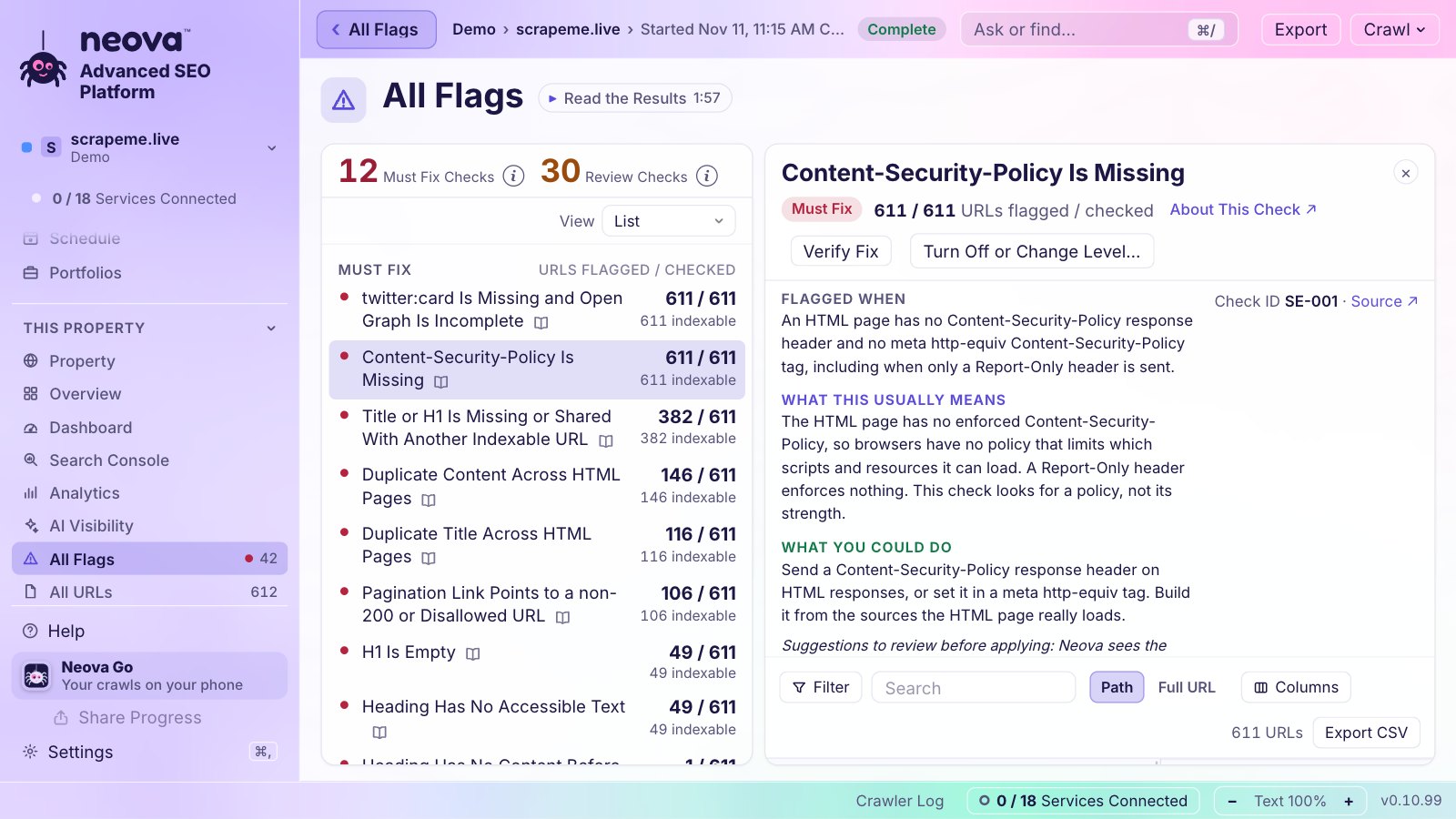
Two things the table hides. Screaming Frog's custom JavaScript snippets and embeddings go further than Neova's extraction. Neova ties every check to a published source, so when a developer asks why something is flagged, you send the link.
Who Should Stay With Screaming Frog
Switching tools has a cost, and for some people it is not worth it. Stay where you are if:
- You live in custom extraction and JavaScript snippets, and your workflows depend on them.
- You build reports in Looker Studio from scheduled Google Sheets and they work.
- You already pay for the Log File Analyser and like it.
- You use the semantic similarity and content cluster features for content audits.
- Your team has years of saved configurations and scripts around the CLI.
Plenty of SEOs keep it as their main crawler and add a second tool alongside it for other jobs.
Who Neova Fits
Neova is built for the SEO who wants the desktop crawl and the work around it in one place:
- Consultants and agencies who crawl a client, its competitors and their own site in one go, then send a branded PDF and tickets.
- Mac users who want a native app, plus Windows and Linux for the rest of the team.
- People who want logs and the crawl together, so pages Googlebot never visits sit next to the pages the crawl found.
- Anyone working on AI search, who needs to see what GPTBot, ClaudeBot or PerplexityBot are served and what robots.txt allows them.
- Teams that move between machines, with the same portfolios on the desktop and in Neova Online.
The Free plan runs every check on up to 1,000 URLs a crawl, which is enough to judge it on a real site.
What a Full Crawl Looks Like: Our Own Numbers
The first test of any switch is the URL count. Here is ours. We crawled seoprocheck.com, the SEO ProCheck site, with Neova on October 17, 2026:
| seoprocheck.com, full crawl | Count |
|---|---|
| URLs fetched | 10,222 |
| Time | 61 minutes |
| HTML pages answering 200 | 4,561 |
| URLs in the XML sitemaps | 1,835 |
| Reached by links, not in a sitemap | 2,727 |
| In a sitemap, reached by no link | 1 |
| Completeness | 99.98% |
| Page bodies, raw | 1.66 GB |
| Stored on disk, compressed | 340 MB |
Two numbers matter when you compare crawlers. The 2,727 URLs reached by links but missing from the sitemaps are what Indexable URL Is Not in Any XML Sitemap looks for. The single URL in a sitemap that no link reached is an orphan URL listed in an XML Sitemap. Crawl the same site in both tools: if the counts differ by more than a few percent, a scope setting differs.
The same crawl flagged 557 titles over 60 characters, 582 meta descriptions over 155 characters and 56 duplicate titles. Those are good flags to check in both tools, since every crawler should find them.
How to Move: Open Your Screaming Frog Crawls in Neova
You do not have to crawl everything again on day one. The Neova desktop app imports a Screaming Frog crawl and runs its checks on it.
- In Screaming Frog, open the crawl, go to the Internal tab and set the filter to All.
- Click Export and save as CSV or Excel. The file is
internal_all.csv. - For the links between pages: Bulk Export, Links, All Inlinks.
- In Neova, choose Import a Crawl…, pick Screaming Frog as the source tool, choose the file and add the All Inlinks CSV.
- Optionally turn on Verify Against the Live Site: Neova re-fetches 50 URLs at 2 a second to say whether the export is complete and still fresh.
What comes across: status codes, content type, titles, meta descriptions, H1s, meta robots, canonicals, size, crawl depth, inlinks, redirect targets and, with All Inlinks, every link and its anchor. What does not: the HTML of the pages, so checks that read HTML say not checkable. Saved .seospider files are Screaming Frog's own format, so export CSV instead. The full steps are in Import a Crawl.
A Short Checklist Before You Switch
- List the five things you do every week in your current crawler, and test each one in the new tool.
- Crawl one site you know well with both tools and compare the URL counts. A big gap means a scope setting differs.
- Check a few flags you already know about, such as a redirect chain, an orphan URL, pages at crawl depth 4 or more or near-duplicate content.
- Look at what an AI search crawler gets, for example whether a request with an AI search crawler user agent is blocked.
- Export the report you send clients and see if it needs less rework.
- Import one old crawl so your history does not start from zero.
Questions
Is there a free alternative to Screaming Frog?
Yes. Neova has a Free plan that runs all 694 checks on up to 1,000 URLs a crawl, on Mac, Windows and Linux. Screaming Frog's own free version crawls 500 URLs. See Pricing.
What is similar to Screaming Frog?
Desktop crawlers such as Sitebulb and Neova work most like it. Cloud crawlers such as Lumar and JetOctopus, and the site audits in Semrush and Ahrefs, run in the browser instead.
Can Neova open Screaming Frog crawl files?
It opens the Internal export (CSV or Excel) and the All Inlinks export, then runs its checks on them. Saved .seospider files are Screaming Frog's own format; export CSV instead.
Does Neova run on a Mac?
Yes. Neova is a native app for Macs with Apple silicon, with versions for Windows and Linux and Neova Online in any browser. Download Neova.
Can I use Screaming Frog and Neova together?
Yes. Many people keep their old crawler for one job and add another for the rest. Neova imports Screaming Frog exports, so you can compare both on the same site.