Sitebulb Alternative: An Honest Comparison and a Free Option
Sitebulb is a thoughtful crawler with clear reports, and plenty of SEOs are happy with it. If you are looking for a Sitebulb alternative, maybe for Linux, a free plan or log analysis, here is what each tool does, from each one's own documentation.
What Sitebulb Does Well
Start with the strengths, because they are real:
- Hints with priorities. Over 300 Hints, each with an importance from Critical to Insight, a type and coverage, plus a site score out of 100. It is a good way to see what matters first.
- Crawl maps. Interactive maps of how a site is linked, which won Best Software Innovation at the US Search Awards in 2018.
- Chrome rendering in every plan. Its Evergreen Chromium crawler is included at no extra cost.
- Lighthouse across the crawl. Opportunities and diagnostics run on every crawled page, with lab Web Vitals on a sample.
- Accessibility. Over 95 automated checks powered by Deque's axe library.
- PDF reports. A PDF for any single report or the whole audit.
- Sitebulb Cloud. The desktop features in a browser, with users per plan and real-time collaboration on the same crawl data.
- An MCP server. Read-only access to audits from Claude and ChatGPT, with ready-made Skills.
What to Consider When Choosing a Crawler
The reasons are usually practical, and they come from how you work more than from the tool. Here is how Sitebulb handles each, from Sitebulb's own pages, read November 11, 2026:
- Your operating system. The desktop app runs on 64-bit Windows 10 or 11 and on macOS Sonoma or later, and Sitebulb Cloud runs in a browser. If your team also works on Linux, check which desktop builds each tool ships.
- How you want to try it. Sitebulb offers a 14-day free trial equal to Pro, with no card. If you would rather test on a free plan with no time limit, compare those too.
- Server logs. Its FAQ says log file analysis is in the build pipeline. If logs are part of your audits today, check where each tool reads them. SEO ProCheck's log file analysis guide covers what to look for.
- Several audits at once. Desktop audits run one after another in a queue, and concurrent crawling comes with the Medium and Enterprise Cloud plans. Think about how many sites you crawl in a day.
- Search engine data. Bing is a user agent preset in Sitebulb. If Bing Webmaster Tools data is part of your audits, check which tools connect to it.
- Speed data. Sitebulb runs Lighthouse with lab Web Vitals. If you also want real-user field data from the Chrome UX Report, look for that.
- Getting data out. Data leaves Sitebulb through webhooks, its Data Studio connector and its MCP server. If you script crawls from a command line, check which tools ship a CLI.
Sitebulb vs Neova at a Glance
The Sitebulb column comes from its own pages, read November 11 and 21, 2026; the Neova column from Everything Neova Does. The full table, with a source link for every mark, is on Compare.
| Feature | Sitebulb | Neova |
|---|---|---|
| Desktop app | ||
| In the browser | ✓ Sitebulb Cloud | ✓ Neova Online |
| Free version | – 14-day trial, no card | 1,000 URLs, all 694 checks |
| Checks | 300+ Hints | 694 |
| JavaScript rendering | ✓ Every plan | ✓ Every plan |
| Several sites at once | 1 on desktop, queued | 4 per window |
| Server logs | – Planned, per its FAQ | ✓ 8 log formats |
| AI crawlers | ◐ Custom user agent | ✓ 10 AI agents |
| Core Web Vitals | Lighthouse, lab data | Chrome UX Report, 40 weeks |
| Accessibility checks | 95+ | 114 |
| PDF reports | ✓ Any report | ✓ Your logo |
| Jira | ◐ Through its MCP Skill | ✓ Send to Jira |
| Command line | – | ✓ |
| MCP server | ✓ Read-only | ✓ |
A Sitebulb Free Alternative
If cost is the reason you are looking, three ways to start for free, from each vendor's own pricing pages:
| Option | URLs a crawl | Time limit | Card |
|---|---|---|---|
| Neova Free plan | 1,000 | None | – |
| Screaming Frog free version | 500 | None | – |
| Sitebulb trial (equal to Pro) | 500,000 | 14 days | – |
Neova's Free plan runs all 694 checks, with the Content and AI Search views and Search Console and Analytics 4, on up to 1,000 URLs a crawl and 3 properties. The paid plans add more URLs, server logs, schedules, competitors, the branded PDF and tickets. The current list is on Pricing.
Screaming Frog's free version crawls 500 URLs. Its paid license adds saving crawls, JavaScript rendering, custom extraction and the API connections.
Sitebulb's trial is the full Pro desktop app for 14 days. Sitebulb Lite allows 10,000 URLs an audit and Pro 500,000.
For a large site, a free plan is a way to test one section before you pay. In Neova, Specific Folders crawls only the folders you type, so you can audit one part of a big site within the limit.
Who Should Stay With Sitebulb
- You like Hints and the site score, and your clients are used to them.
- Your team shares audits in Sitebulb Cloud and collaborates in real time.
- You rely on crawl maps to explain site structure to clients.
- You want Lighthouse diagnostics on every page of the crawl.
- Its MCP Skills already fit how you work with Claude or ChatGPT.
None of these is a small thing. If they are what you use most, Sitebulb is a good place to be.
Who Neova Fits
- Linux users, or teams mixing Mac, Windows and Linux. Neova ships a .deb for Ubuntu, Linux Mint and Debian, and an AppImage.
- SEOs who need logs. The Server Log tool reads Apache, Nginx, IIS, CloudFront, AWS load balancer, Cloudflare, Google Cloud and Akamai logs, and counts a bot only when its address is on the list its company publishes. See Import Instead of Connecting.
- Anyone tracking AI search. Neova asks sampled pages as GPTBot, ClaudeBot, PerplexityBot and other AI agents, and shows who gets the full page.
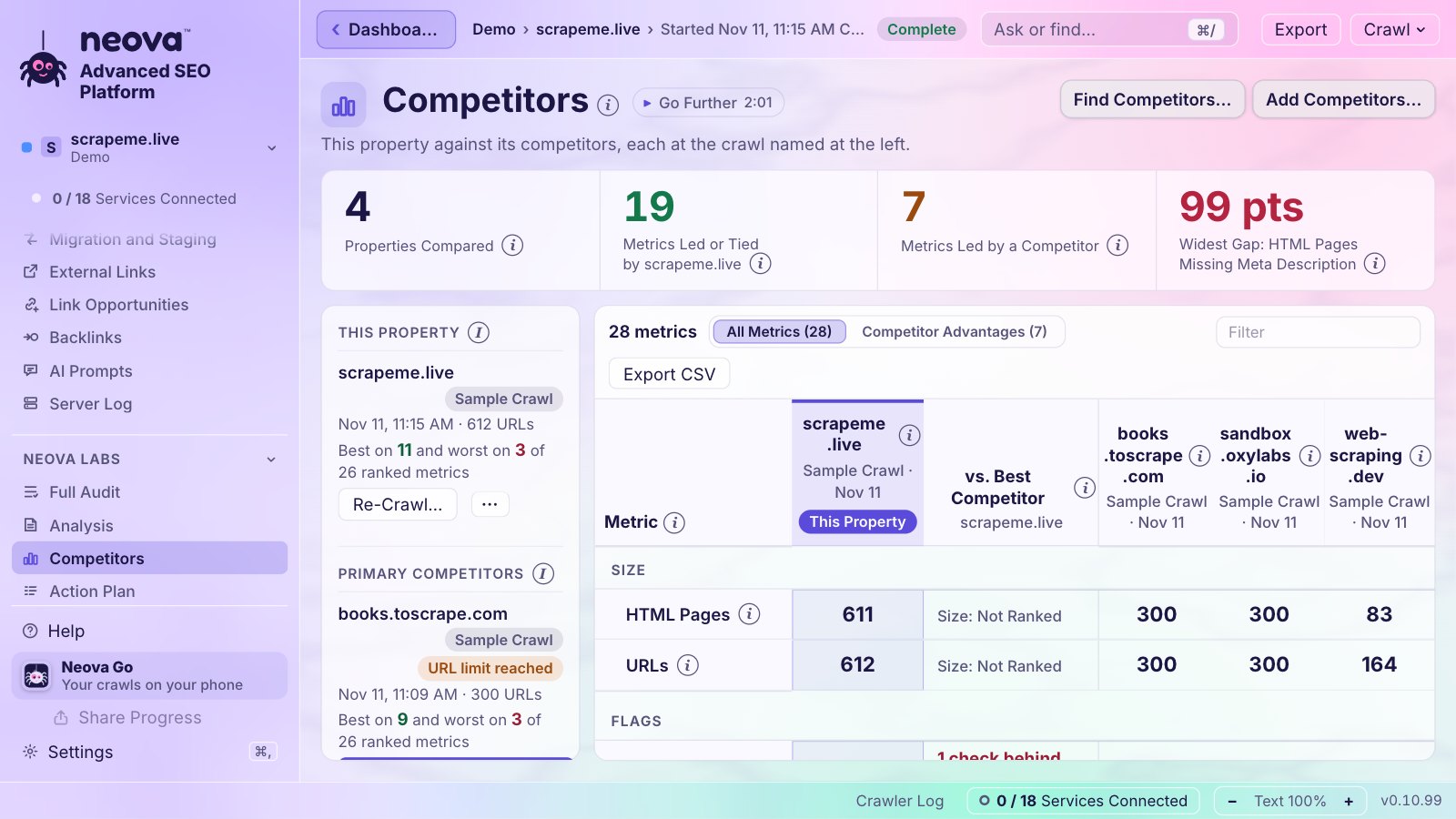
- Agencies watching competitors. Add a list of competitors and Neova crawls a sample of each, then puts every metric side by side.
- People who crawl several sites a day and want them running at once, each at its own pace.
How to Bring Your Sitebulb Audits Into Neova
The Neova desktop app imports a Sitebulb URL export and runs its checks on it, so your history comes along.
- In Sitebulb, open the audit and go to the URL Explorer. Its default list holds every URL crawled.
- Use Add/Remove Columns: keep URL and HTTP Status Code, and add Title Tag, Meta Description, H1, Canonical, Indexable, Crawl Depth and Incoming Links.
- Click Export, then Export URLs, as CSV.
- In Neova, choose Import a Crawl…, pick Sitebulb as the source tool and choose the file. The older
urlresource.csvexport reads the same way. - Turn on Verify Against the Live Site to re-fetch 50 URLs and see whether the export is complete and still fresh.
What comes across: status, content type, title, canonical, size, depth, and whether each URL was in the sitemap and the crawl, plus meta description, H1 and indexability when those columns are in the export. What does not: the page HTML and the links between pages. For those, crawl the site with Neova too. Step by step: Import a Crawl.
Sitebulb vs Neova: What to Test First
Run both tools on one site you know well, then compare a few specific things:
- Does each tool find the same number of indexable pages? Check indexable URLs missing from the XML Sitemaps. On our own site, seoprocheck.com, Neova's October 17, 2026 crawl reached 2,727 URLs that no sitemap listed, against 1,835 URLs in the sitemaps.
- Do both count the same duplicate titles? The same crawl found 56, plus 557 titles over 60 characters.
- Do both catch a redirect chain and a robots.txt change since the previous crawl?
- Is a key page restricting snippets or blocking AI search crawlers?
- With a log loaded, is the search bot share of 3xx, 4xx or 5xx responses rising?
- Which report would you rather hand a client?
An afternoon of this tells you more than any comparison page, this one included. For a fuller list to run in both, use the technical SEO audit checklist on SEO ProCheck.
Questions
Is there a free alternative to Sitebulb?
Yes. Neova's Free plan runs all 694 checks on up to 1,000 URLs a crawl, with no time limit. Sitebulb offers a 14-day free trial equal to its Pro plan, with no card.
Does Sitebulb run on Linux?
Sitebulb's desktop app is built for Windows and macOS, and Sitebulb Cloud runs in a browser. Neova runs on Mac, Windows and Linux, and in the browser with Neova Online.
Can I import Sitebulb audits into Neova?
Yes. Export the URL Explorer as CSV and open it with Import a Crawl in the Neova desktop app. The checks that need page HTML say not checkable until you crawl the site with Neova. See Import a Crawl.
Does Sitebulb do log file analysis?
Its FAQ, read November 11, 2026, says log file analysis is in the build pipeline. Neova's desktop app reads server logs from 8 sources.
Sitebulb vs Screaming Frog: which is closer to Neova?
All three crawl on your own computer, and each has its own strengths. Neova pairs the desktop app with Neova Online in the browser, server logs in the same app and Linux builds. Compare them mark by mark on Compare.