SEO Crawler for Mac (and Windows and Linux)
Plenty of SEOs work on a Mac, and a good SEO crawler for Mac should feel at home there while doing the same job as anywhere else. Here is what to look for, what runs where, and how to keep a long crawl going on a laptop.
Why Use a Desktop SEO Crawler
A desktop SEO crawler runs on your own computer, and that has real advantages and real tradeoffs.
| Need | Desktop | Cloud |
|---|---|---|
| Crawl data on your own disk | ✓ | – |
| Staging behind the office VPN | ✓ | ◐ |
| Crawl keeps going, laptop closed | – | ✓ |
| One shared place for a team | ◐ | ✓ |
| Paid by | Software | Server time |
A crawl uses your Mac's memory, disk and connection, and a laptop that sleeps stops crawling. Cloud crawlers keep running when the lid is closed. Many teams use both.
What to Look For in an SEO Spider for Mac
| Feature | Why it matters | Neova on a Mac |
|---|---|---|
| Apple silicon build | Native code, not translated | ✓ |
| Crawl kept on disk | Big sites, small memory | 60 MB memory at 60,000 URLs |
| Runs with the window closed | Work while it crawls | Menu bar, Desktop plan |
| Safe stops | Sleep or update, then resume | ✓ |
| Disk guard | No crash on a full disk | Stops below 3 GB free |
| Keys in the Keychain | No secrets in plain files | ✓ |
| Native menus, ⌘ shortcuts | Feels like a Mac app | ✓ |
| Same crawl on every platform | Mixed teams | .neova file |
Memory is the one that bites on a laptop. A crawler that holds every URL in memory slows the whole Mac as the crawl grows, and other apps start to swap. Neova writes the crawl to disk as it goes, which is why 60,000 URLs take about 60 MB of memory: the size of a crawl is then limited by the disk, not the memory.
And the SEO basics, the same as anywhere: JavaScript rendering, XML Sitemaps, robots.txt testing, list mode and crawl comparison.
Desktop SEO Crawler Options by Platform
Three desktop crawlers by platform, from each one's own documentation. Check their sites for current details.
| Neova | Screaming Frog SEO Spider | Sitebulb | |
|---|---|---|---|
| Desktop | |||
| In the browser | Your own server | ||
| Free option | 1,000 URLs, every check | 500 URLs a crawl | 14-day trial |
Each has its strengths: Screaming Frog's SEO Spider can run on your own server, and Sitebulb pairs its desktop app with Sitebulb Cloud. For a line-by-line look, with links to each tool's docs, see Neova compared.
Installing and Running Neova on a Mac
- Download Neova and open the .dmg.
- Drag Neova SEO Platform to Applications and open it. The first time, macOS asks you to confirm an app from the internet; the install page shows what to click.
- Choose Crawl, then New Crawl, type the address and click Start Crawl.
- Watch the crawl live, or close the window and let Neova keep crawling from the menu bar.
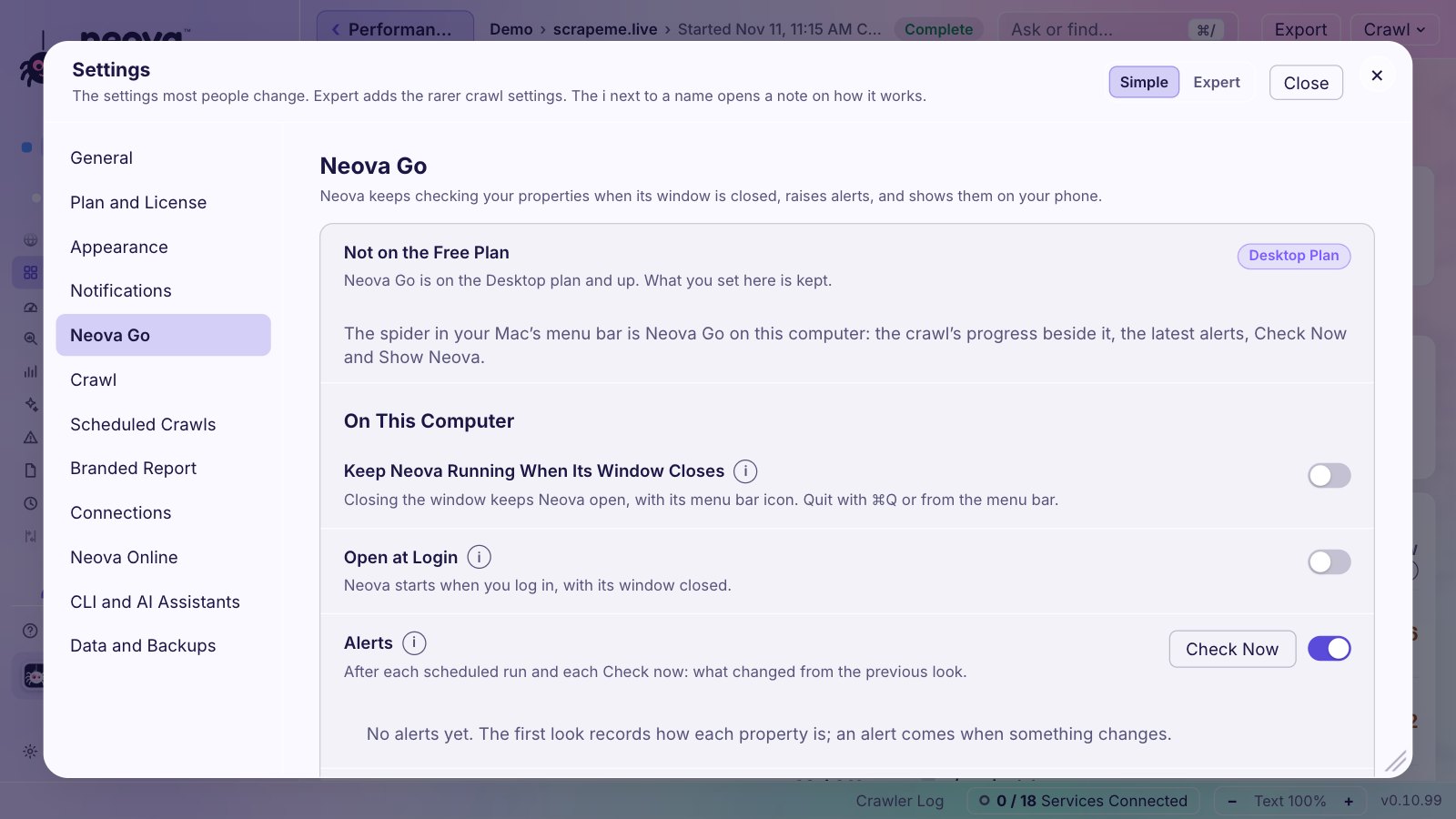
Neova Go in the menu bar, with Postpone or Skip for the next scheduled crawl, and Open at Login are on the Desktop plan and up. Every key, token and sign-in goes to the macOS Keychain. A crawl running when Neova updates or quits saves itself, and Resume continues it.
Neova on Mac, Windows and Linux
The same app, with the same 694 checks, on all three.
| Platform | Installer | Shortcut key | Crawls stored in |
|---|---|---|---|
| .dmg, Apple silicon | ⌘ | ~/Library/Application Support/Neova | |
| x64, no admin password | Ctrl | %APPDATA%\Neova | |
| .deb or AppImage | Ctrl | ~/.local/share/Neova |
The .deb is for Ubuntu, Linux Mint and Debian; the AppImage needs no install. A crawl saved as a .neova file opens on any of the three, so a mixed team can pass crawls around. Neova Online, on the Desktop + Online plan and up, puts the same window in a browser and keeps it in step with the desktop app.
Keeping a Long Crawl Running on a Laptop
Plan the disk before you start. Here is what a full crawl of our own site, seoprocheck.com, took on October 17, 2026:
| Measure | seoprocheck.com |
|---|---|
| URLs fetched | 10,222 |
| Time | 61 minutes |
| Raw page bodies | 1.66 GB |
| Stored, compressed | 340 MB |
| Completeness | 99.98% |
Habits that help on any desktop crawler:
- Stay plugged in. On battery, macOS may sleep sooner.
- Check the disk first. Neova estimates the space before it starts and stops safely below 3 GB free, so Resume can continue once you clear room.
- Use a stable connection. Dropped Wi-Fi looks like a site outage to some crawlers. Neova waits and carries on when the connection returns.
- Sample first. A sample per template finds most template problems in minutes.
- Run big crawls overnight. Schedule them for when you are not using the Mac.
- Close other heavy apps. JavaScript rendering runs Chrome in the background.
Crawling a Staging Site From Your Mac
A desktop crawler crawls from your own network, so it reaches a staging site that only opens on the office network or VPN. If you are new to the idea, SEO ProCheck explains what a staging environment is.
In Neova, New Crawl takes HTTP authentication, cookies or a custom header for that site only, can ignore a staging robots.txt that disallows everything, and can rewrite live-domain links to the staging host. Crawl staging from the office Mac, then open the results later from any browser with Neova Online.
Before launch, compare the staging crawl with a crawl of the live site: status codes, noindex, canonicals and titles side by side show what the release will change.
Your First Crawl on a Mac
The quickest way to decide is to crawl your own site. The Free plan includes every check, and the Desktop plan can be tried for 14 days without a card. Checks worth reading on that first crawl:
- Internal URL Is in a Redirect Chain
- Internal URL Returns 4xx, 5xx or No Response
- Indexable URL Is Not in Any XML Sitemap
- Indexable URL Is at Crawl Depth 4 or More
- Title Over 60 Characters
- Most Main Text Appears Only in Rendered HTML
For the full list of what to review, SEO ProCheck keeps a technical SEO audit checklist.
Questions
Is there a good SEO crawler for Mac?
Yes, several run on macOS, including Neova, Screaming Frog SEO Spider and Sitebulb. Look for an Apple silicon build, crawls stored on disk, background crawling and safe resume after sleep or updates.
Does Neova run on Apple silicon Macs?
Yes. The Mac app is built for Apple silicon, with its engine inside the app as native code. Get it from the download page.
Is there a free SEO spider for Mac?
Neova has a Free plan with 1,000 URLs a crawl and every check, and Screaming Frog has a free version that crawls up to 500 URLs. Sitebulb offers a 14-day free trial with no card.
How much disk space does a crawl need?
It depends on the site. Our full crawl of seoprocheck.com on October 17, 2026 fetched 10,222 URLs; the page bodies were 1.66 GB raw and took 340 MB stored. Neova estimates the space before it starts.
Can I use the same SEO crawler on Windows and Linux?
Neova runs on Mac, Windows and Linux with the same checks, and a .neova file opens on any of them. Screaming Frog also runs on all three; Sitebulb runs on Windows and Mac.
Do my crawls leave my computer?
Not unless you choose. Neova keeps crawls on your computer and sends nothing to Neova unless you sync with Neova Online or share a link.