Install Neova
A minute on a Mac, Windows or Linux. The first time, your computer may ask you to confirm: here is what to click.
Watch: Install and Open Neova 0:49
On a Mac
- Open the downloaded .dmg and drag Neova SEO Platform to Applications.
- Open it. macOS asks whether to open an app downloaded from the internet: click Open.
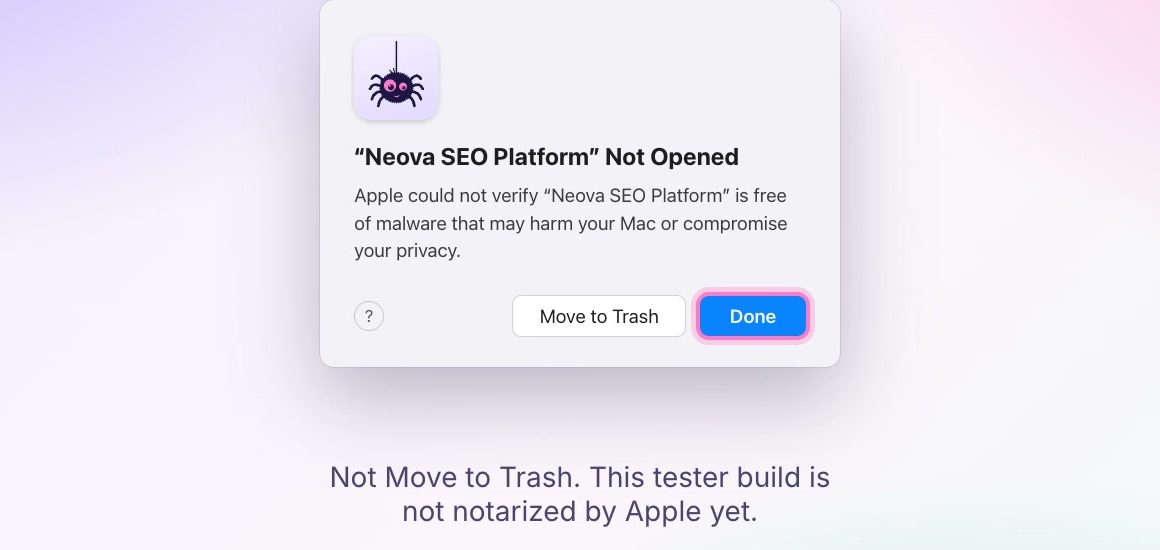
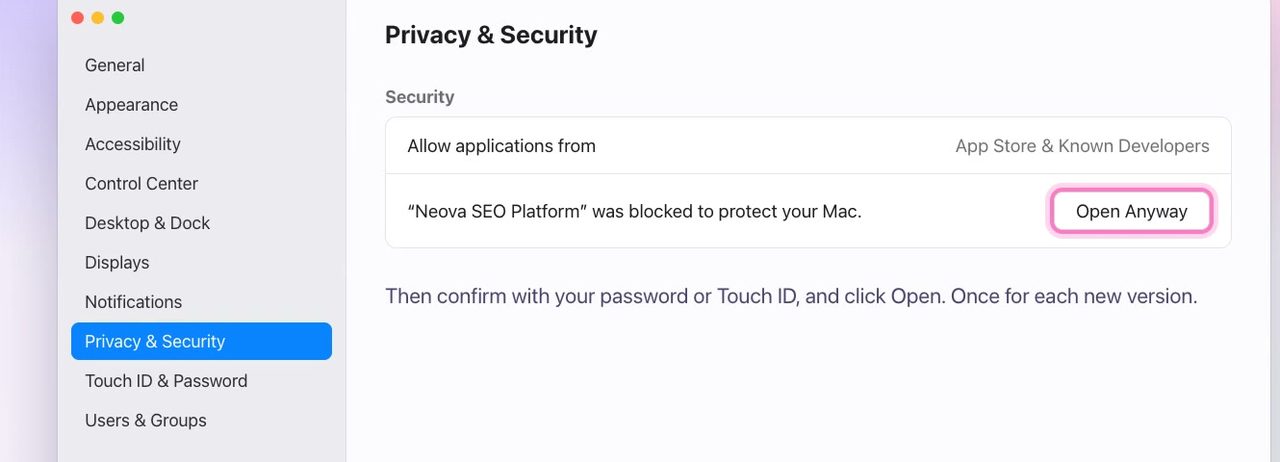
- If macOS shows Neova SEO Platform Not Opened instead (an Early Access build it does not recognize yet), click Done, not Move to Trash. Then open System Settings, then Privacy & Security, and next to Neova SEO Platform was blocked to protect your Mac, click Open Anyway. Confirm with your password or Touch ID, then click Open.
On Windows
- Unzip the download (right-click it, then Extract All) and double-click the installer inside.
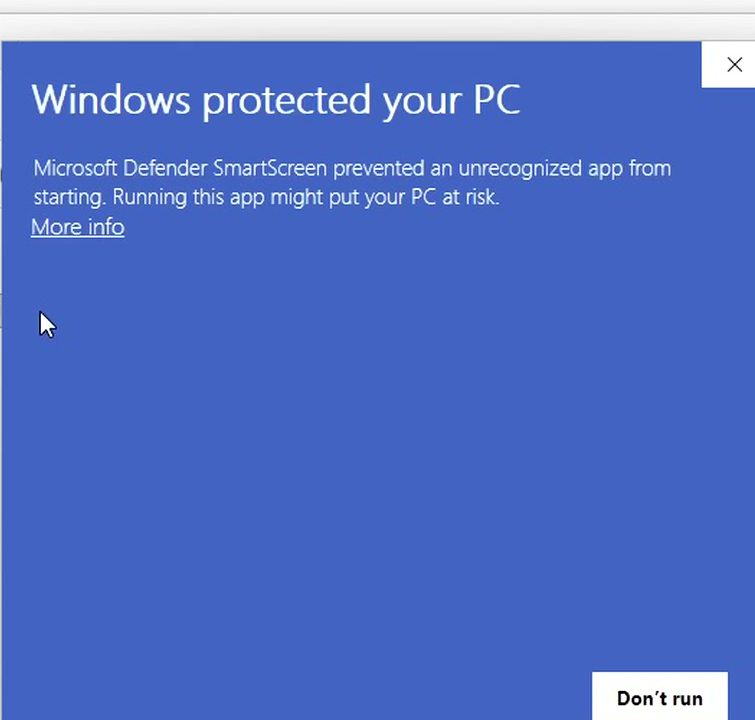
- If Windows shows Windows protected your PC (SmartScreen does for apps it has not seen often yet), click More info, then Run anyway.
- Neova installs for your own account, so no administrator password is needed. On Windows 10 the installer may also download Microsoft's WebView2, which Neova's window uses; Windows 11 already has it.
On Linux
- The .deb (Ubuntu, Linux Mint, Debian): double-click it, then Install Package, and type your password. Or in a terminal:
sudo apt install ./neova-seo-platform-0.10.99-linux-x86_64.deb. Neova then shows in your menu. - If the screen dims after Install Package and no password box shows (seen on Linux Mint), press Esc, then use the terminal command above: it asks for your password in the terminal. Still dimmed? Ctrl+Alt+Esc restarts the desktop and keeps your windows.
- The AppImage, without installing: right-click it, Properties, then turn on Executable as Program, and double-click it. In a terminal:
chmod +xon the file, then open it. - No warning on Linux: nothing to click past.
Why Your Computer Asks
macOS and Windows check every app downloaded from the internet the first time it opens, and ask you to confirm. The longer steps above are only for a build your computer does not recognize yet; once you have opened Neova, it opens like any other app.
Your Data
Crawls stay on your computer: in %APPDATA%\Neova on Windows, ~/Library/Application Support/Neova on a Mac and ~/.local/share/Neova on Linux. Nothing is sent to us unless you sync or share.
Uninstall
On Windows: Settings, then Apps, then Neova SEO Platform. On a Mac: drag the app to the Trash. On Linux: sudo apt remove neova-seo-platform, or delete the AppImage.