Title Tag Checker: How to Find Missing, Long and Duplicate Titles on Every Page
The title tag is the first line of your page in Google, the name of the browser tab and the default text when someone shares the link. It is one short line of HTML, and on a site with thousands of pages it goes wrong in thousands of small ways. A title tag checker reads every title at once and tells you which ones are missing, too long, too short or shared with another page.
What a Title Tag Checker Does
A title tag checker fetches your pages, reads the <title> element in the head of each one and compares it with a set of rules. A one page checker answers a quick question about one URL. A site crawler answers the question that matters on a real site: which of my titles are broken, and how many share the same problem.
<head>
  <title>Blue Running Shoes for Women | Example Shop</title>
</head>
The checks fall into four groups: presence (missing, empty, more than one), length (too long, too short), uniqueness (the same title on several pages) and placement (a title outside the head, or one that only JavaScript writes). The sections below take them one at a time.
How Google Uses Your Title
Google calls the clickable headline of a result the title link. Its title link documentation says the <title> element is the main source, but not the only one. Google may also use the main visible title, the H1 and other headings, og:title, prominent text, anchor text of links pointing at the page and WebSite structured data.
| Fact | Value | Source |
|---|---|---|
| Title element used as written | About 87% of the time | Google, 2021 |
| Maximum title length | No limit | Title links doc |
| Display in results | Cut to fit device width | Title links doc |
| Titles per page | 1 | HTML standard |
Google lists the reasons it rewrites a title: half empty titles, obsolete titles, inaccurate titles, micro boilerplate repeated across pages, no clear main title, a language that does not match the page and a site name repeated twice. Every one of those is something a crawl can find before Google rewrites it for you.
Title Tag Rules at a Glance
The rules most title tag checkers use, with the line where each one flags a page. The length lines are tool conventions, not Google limits; Google sets none.
| Issue | Flagged when | Why it matters | Priority |
|---|---|---|---|
| Missing | No title element | Google picks text itself | High |
| Empty | Title has no text | Same as missing | High |
| Too long | Over 60 characters | Cut off in results | Review |
| Too short | Under 30 characters | Often vague, like "Home" | Review |
| Duplicate | Same title on 2+ pages | Pages look interchangeable | High |
| Several titles | 2+ title elements | Google may read either | Medium |
| Outside the head | Title parsed in body | May be ignored | High |
| Only after JavaScript | Empty in raw HTML | Depends on rendering | Medium |
| Same as description | Title equals description | Wasted second line | Low |
SEO ProCheck's complete guide to title tags and meta descriptions goes deeper into writing them; this guide is about finding the broken ones.
Title Length: Characters, Pixels and the 60 Line
Google truncates titles by width, not by a character count. A title of wide capital letters gets cut sooner than one of narrow lower case letters. That is why every checker uses a rule of thumb, and 60 characters is the most common one: most titles that length show in full on a desktop result.
| Length | What usually happens | Action |
|---|---|---|
| 1 to 29 characters | Shows in full, often vague | Add what the page is |
| 30 to 60 characters | Shows in full | Keep |
| 61 to 70 characters | May be cut | Front load the key words |
| Over 70 characters | Usually cut | Shorten or accept the cut |
A cut title is not an error. If the words that matter come first, a title that runs past 60 characters still works. What to avoid is a title where the brand, a date or a list of keywords pushes the topic of the page past the cut. Put the subject first and the site name last, separated by a pipe, colon or hyphen, as Google suggests.
Duplicate Titles and Boilerplate
A duplicate title tells search engines and people that two pages are the same, even when they are not. Google asks for a distinct title on every page and warns against long titles that differ by only one detail. Common causes:
- Template defaults. A category, tag or search template that sets the same title on every page it builds.
- Pagination. Page 2 and page 3 of a list carry the title of page 1. Neova leaves page 2 onward of a paginated series out of the duplicate count, since those pages are expected to share a title.
- URL variants. The same page served at several addresses, with and without a parameter or a trailing slash. Here the fix is a redirect or a canonical, not a new title; the duplicate content checker and canonical tag checker guides cover that side.
- Products with variants. Ten sizes of one shoe, each with its own URL and the same name.
SEO ProCheck explains the fixes in URLs with duplicate title tags: how to fix them.
What We Found on Our Own Site
We crawled seoprocheck.com with Neova on October 17, 2026: 10,222 URLs fetched in 61 minutes, 4,561 HTML pages that answered 200. The title checks flagged:
| Flag | Pages | Share of 4,561 |
|---|---|---|
| Title over 60 characters | 557 | 12.2% |
| Duplicate title | 56 | 1.2% |
Almost one page in eight had a title longer than the 60 character line. A long title is not always wrong: if the topic comes first and the cut falls on the site name, it can stay, and the crawl lets you read all 557 in one list instead of opening pages one by one. The 56 duplicates are a different matter. Each one needs either its own title or one page pointing at the other.
Titles That JavaScript Writes
On sites built with React, Vue or a similar framework, the raw HTML often ships with an empty or generic title, and JavaScript sets the real one in the browser. Google renders pages and usually sees the final title, but rendering can come later than crawling, and some other search engines and AI crawlers read only the raw HTML.
A title tag checker that does not render pages reports the raw title. One that renders reports the final title. A good one shows both and flags pages where they differ. If your titles are set by a script, render the crawl, then compare. The JavaScript SEO crawler guide covers rendering in depth.
How to Fix Titles at Scale
- Crawl the whole site, rendering the pages if any title is set by JavaScript.
- Fix the missing and empty titles first. They are usually few and always serious.
- Group duplicates by template. Fifty duplicates from one category template is one fix in the template, not fifty edits.
- Sort long titles by traffic using Search Console data, and rewrite the ones that get impressions first.
- Write a pattern per page type: product name, key attribute, site name for products; topic first, then site name for articles.
- Re-check only the flagged pages once the change is live, then crawl again on a schedule so a new template does not undo the work.
Titles are step one of most audits; the technical SEO audit checklist places them among the rest. Write the meta description and the H1 at the same time, so the three agree.
Check Titles With Neova
Neova's Content category lists every HTML page with its title, meta description and H1 and their lengths. All URLs has a Page Titles column set with filters for missing, empty, duplicate, too long and too short, and the SERP Snippet shows how a title and description read in search results. Content Changes Between Crawls shows which titles changed since the previous crawl, before and after.
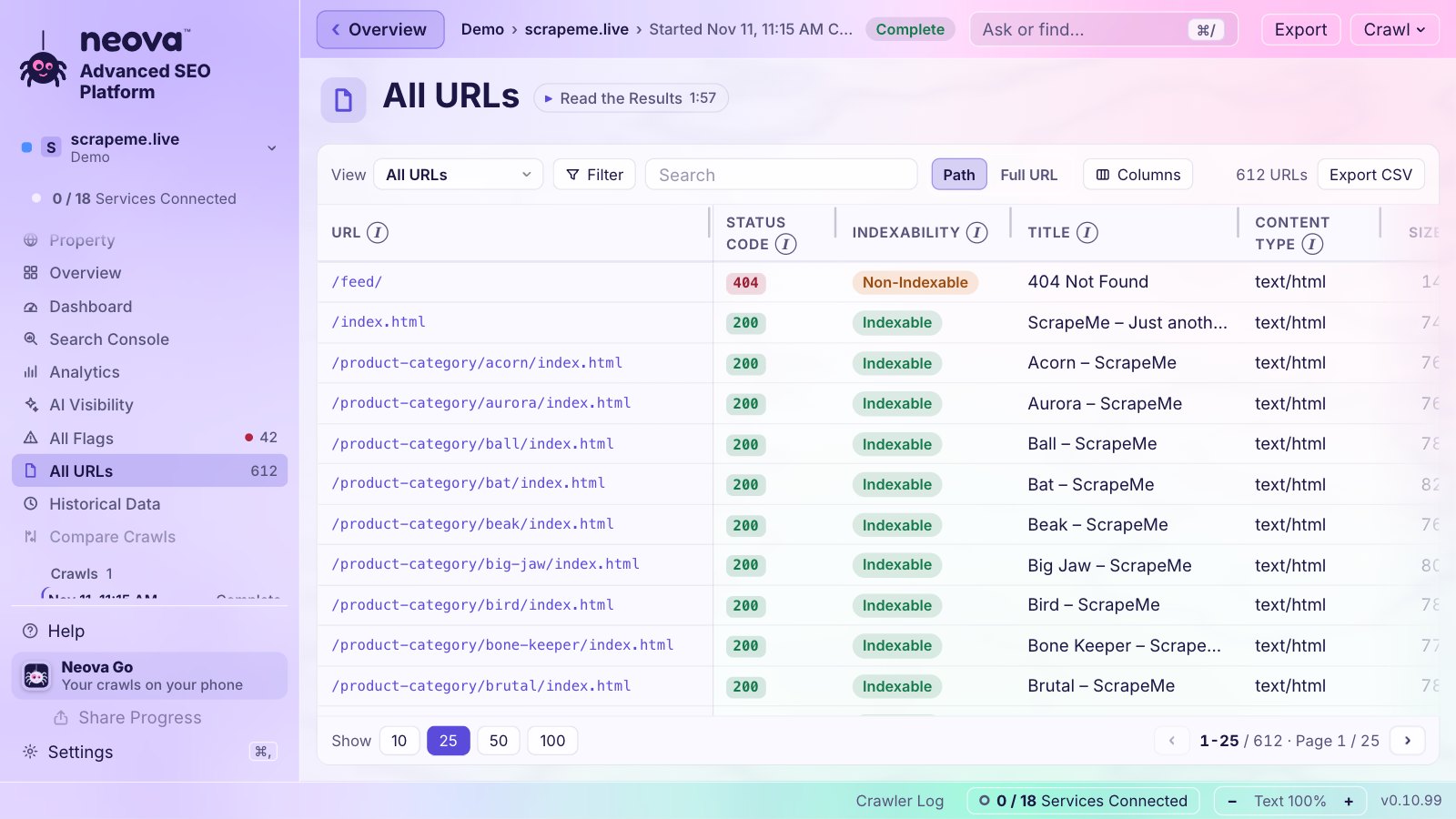
The title checks:
- Title Tag Is Missing and Title Tag Is Empty
- Title Over 60 Characters and Title Under 30 Characters
- Duplicate Title Across HTML Pages and Duplicate Title and Meta Description Across HTML Pages, leaving out page 2 onward of a paginated series
- Multiple Title Tags and Title Tag Is Outside the Head
- Title Appears Only in Rendered HTML and Title Is Changed by JavaScript
- Meta Description Repeats the Title and Emoji or Symbol in the Title or Meta Description
- Title or H1 Names a Past Year
Verify Fix re-fetches only the pages a check flagged and says how many are fixed. The Free plan runs every one of the 694 checks on up to 1,000 URLs a crawl, on Mac, Windows and Linux. See Features or download Neova.
Questions
How long should a title tag be?
Google sets no limit and cuts titles to fit the device width. Around 60 characters shows in full on most desktop results, so most checkers flag titles over 60. Put the words that matter first and a longer title still works.
Why does Google show a different title than my title tag?
Google rewrites titles that are empty, vague, stale, repeated across pages, stuffed with keywords or out of line with the page. It then uses the H1, other headings, og:title or anchor text instead. Google says it uses the title element as written about 87% of the time.
Are duplicate title tags bad for SEO?
They make pages look interchangeable, so Google has to guess which one to show and may rewrite both titles. Give each indexable page its own title, or merge the pages if they really are the same.
Should the title tag and H1 be the same?
They can be. They should describe the same topic, but the title may add the site name and be shorter, and the H1 can be written for the reader on the page.
Can I check title tags for free?
Yes. Neova's Free plan crawls up to 1,000 URLs a crawl with every check, title checks included, on Mac, Windows and Linux.