Canonical Tag Checker: How to Audit Canonical Tags Across a Whole Site
A canonical tag tells search engines which URL you want indexed when several URLs show the same content. It is one line in the head, and it is easy to get wrong in ways nobody notices: a canonical that points at a redirect, at a page that is noindex, or at page 1 from every page of a list. A canonical tag checker reads every canonical on the site and follows each one to see where it really leads.
What a Canonical Tag Checker Does
Looking at one canonical in the page source tells you what it says. A canonical tag checker tells you whether it works. On every page it:
- finds the canonical in the HTML head and in the HTTP Link header, and notices when there are two, or none;
- requests the target and records its status code, its robots directives and its own canonical;
- follows chains and loops of canonicals to the end;
- compares the canonical with the rest of the page's signals: internal links, the XML Sitemap, hreflang and redirects;
- compares the raw HTML with the rendered page, to catch JavaScript that changes the canonical.
Only a crawl can do the second half, because the answer depends on pages other than the one you are looking at.
How Canonical Tags Work
A canonical is a link element with rel="canonical" in the head of the page, or a Link header in the HTTP response for files such as PDFs:
<link rel="canonical" href="https://example.com/shoes/trail-runner">

Link: <https://example.com/guide.pdf>; rel="canonical"
A duplicate URL names the preferred one, and the preferred URL usually names itself. That self-referencing canonical helps when the page is reached through a tracking parameter or another variant, because the variant then points back to the clean URL.
A canonical is a hint, not a command. Google's canonicalization documentation explains that it weighs the canonical together with redirects, sitemaps, internal links and the content itself, then picks the canonical it will use. A canonical that agrees with the other signals is almost always followed. One that contradicts them often is not. SEO ProCheck's canonical tags reference covers every case in depth.
The Rules Every Canonical Should Follow
Google's guide to specifying a canonical URL and RFC 6596, the standard that defines rel=canonical, add up to a short list:
- One canonical per page. If the HTML and the HTTP header both have one, they must name the same URL.
- In the head. Google ignores a canonical link element that ends up in the body, including one pushed there by broken HTML before it.
- An absolute URL, with https when the site uses https. Relative URLs work but resolve against wherever the page is served from.
- A target that answers 200, is indexable and is not blocked by robots.txt.
- The final URL. Not a redirect, and not a page that names yet another canonical.
- A real duplicate or superset. The target should hold the content of the page that points at it.
- The same language. A translated page should name itself, not the original, and connect to it with hreflang.
- Present before JavaScript runs, and not changed by it afterwards. Google's JavaScript SEO basics warn against changing a canonical with JavaScript.
The Most Common Canonical Errors
| Error | Effect | Fix |
|---|---|---|
| Points to a redirect | Hint may be ignored | Name the final URL |
| Points to a 4xx or 5xx | Target does not exist | Live page, or self |
| Points to a noindex page | Signals cancel out | Fix target or canonical |
| Chain or loop | No clear target | Point at the final URL |
| Every page names home | Pages drop out | Self-reference each page |
| Page 2 onward names page 1 | Later items lose a path | Self-reference each page |
| http canonical, https site | Contradicts the redirect | Use https |
| HTML and header disagree | Conflicting hints | Keep one |
| Missing | Engine picks a variant | Add a self-canonical |
Google's pagination guide is explicit about the page 1 case: do not use the first page as the canonical for the rest, because each page lists different items.
Canonicals and the Other Signals
A canonical works best when nothing else on the site disagrees with it:
| Signal | Should name |
|---|---|
| Internal links | The canonical URL |
| XML Sitemaps | Canonical URLs only |
| Redirects | End on the canonical |
| Hreflang | Canonical URLs only |
| og:url | Same as the canonical |
| Noindex | Never with a canonical elsewhere |
Google recommends against using noindex to choose a canonical within a site. og:url is not a search signal, but when it differs, the template usually builds URLs in two places. The hreflang checker guide covers the hreflang pairing.
We found a redirect gap on our own site. On November 20, 2026, http://neova.app answered 200 instead of a 301 to https. Every page had a second address, and only the canonical said which one to keep. A 301 to https now settles it before the canonical has to.
When Google Chooses a Different Canonical
Search Console's URL Inspection shows two values: the canonical you declared and the one Google selected. When they differ, Google has decided another URL represents the content better. Its canonicalization troubleshooting page lists the usual reasons: the pages are not really duplicates, the signals disagree, or the declared URL is harder to reach than the alternative.
Start by comparing the two URLs. Sometimes Google is right and the fix is to accept its choice and point your canonical there. Otherwise, line up everything on the URL you want: the canonical, redirects, internal links, the sitemap and hreflang. Then wait for a recrawl. A canonical that disagrees with the rest of the site is the most common reason it is ignored.
How to Check Canonicals on a Whole Site
- Crawl the full site, so the checker can request every canonical target and see its status.
- Turn on JavaScript rendering for sites built with a framework, so raw and rendered canonicals can be compared.
- List pages with no canonical and pages whose canonical names another URL. The second list is often correct; review it rather than fix it all.
- Fix broken targets first: 4xx, 5xx, redirects, noindex and disallowed URLs.
- Fix chains and loops, then canonicals on paginated pages.
- Align the other signals: sitemaps, internal links, hreflang.
- Check the duplicates the canonicals are meant to solve. The duplicate content checker guide covers finding them, and the indexability checker guide covers the other reasons a page stays out of the index.
On our own site, the full Neova crawl of seoprocheck.com on October 17, 2026 found 5 canonicals pointing to another internal URL, among 4,561 HTML pages answering 200. Five is few enough to review one by one, which is what step 3 is for. SEO ProCheck's canonical tags FAQ helps decide which ones are right.
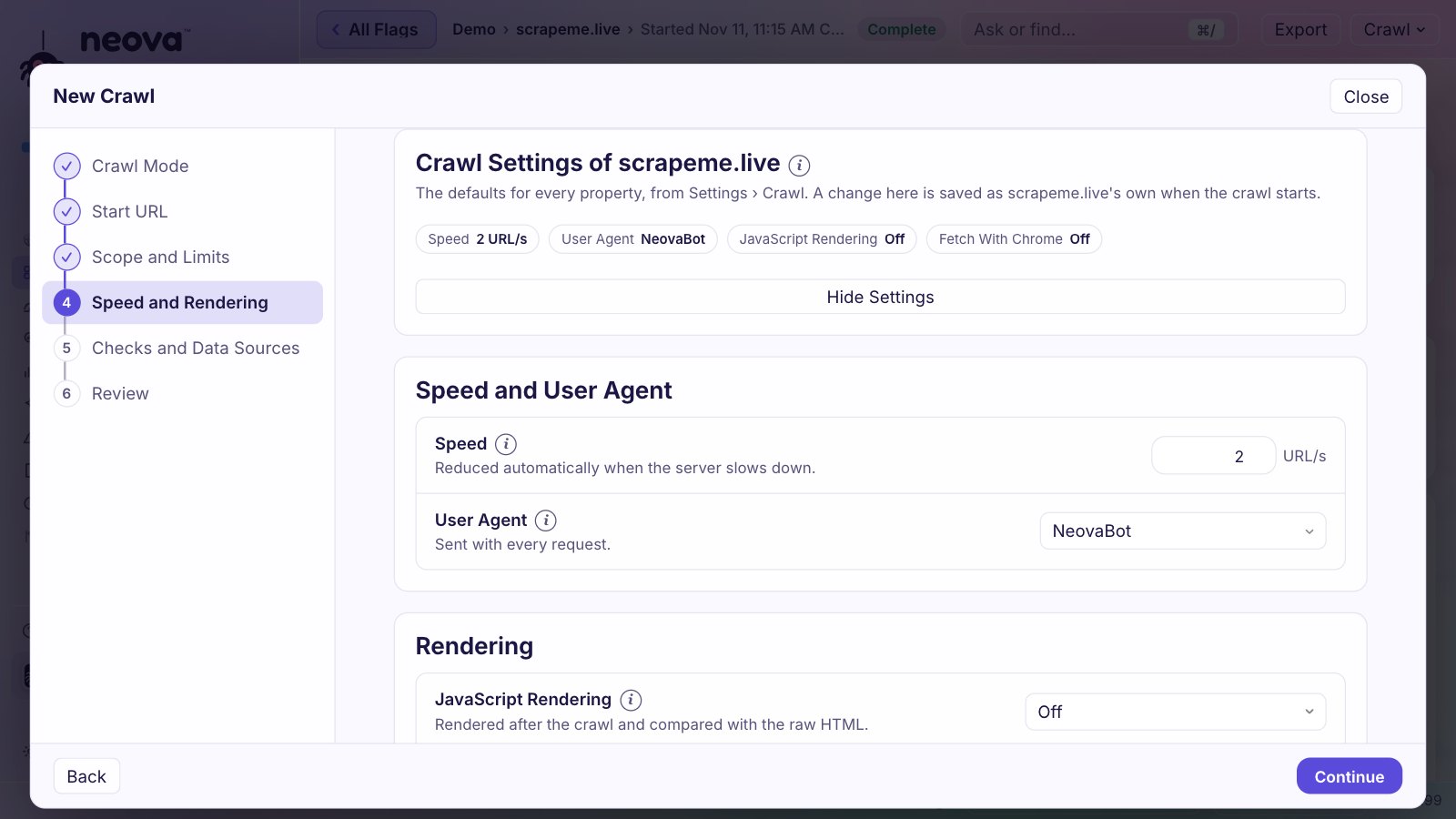
Check Canonical Tags With Neova
Neova reads the canonical from the HTML head and the HTTP Link header of every page, shows them in the Canonicals column set of All URLs, and marks each URL Indexable or not with the reason. Some of the checks:
- Canonical Points to a Redirecting URL, Canonical Points to a 4xx URL and Canonical Points to a 5xx URL
- Canonical Points to a Noindex URL and Canonical Points to a Disallowed URL
- Canonical Points to Another Canonicalized URL and Canonicals Form a Loop
- Canonical Points to the Home Page and Paginated URL Canonicalizes to Page 1
- Canonical Differs Between HTML and HTTP Header and Canonical Is Outside the Head
- Canonical Is Changed or Removed by JavaScript and Canonical Is Set Only by JavaScript
- Canonical Is Missing and Canonical Points to a Different Internal URL
- HTTP URL Returns 200 on an HTTPS Site
- Canonicalized URL Is Listed in an XML Sitemap and Internal Link Points to a Canonicalized URL
- Google Chose a Different Canonical Than the Declared One, with Google Search Console connected
With Search Console connected, Neova reads Google's URL Inspection verdict for up to 200 URLs a crawl. Each flag says why it matters and how to fix it, and every table exports to CSV for the developer who fixes the template. See Features or download Neova; the Free plan runs every check.
Questions
What is a canonical tag checker?
A tool that reads the canonical of every page on a site, requests each target, and reports canonicals that are missing, conflicting, or that lead to redirects, errors, noindex pages or other canonicalized URLs.
Should every page have a self-referencing canonical?
It is good practice for every indexable page. It makes parameter and tracking variants of the page point back to the clean URL, so search engines do not have to choose among them on their own.
Is a canonical tag a directive?
No. Google treats it as a strong hint and weighs it with redirects, sitemaps, internal links and the content. If those disagree, Google may pick a different canonical.
Can a canonical point to another domain?
Yes. A cross-domain canonical is valid when you publish the same content on two sites you run and want one of them indexed. Make sure the target really holds the same content. For copies on partner sites, Google's syndication advice is for the partner to add noindex to its copy, since a canonical across sites may not be followed.
Why does Google ignore my canonical?
Usually because other signals disagree: internal links, the sitemap or redirects point at another URL, or the pages are not true duplicates. URL Inspection in Search Console shows which canonical Google selected.