Indexability Checker: How to Find Pages Search Engines Cannot Index
A page can look perfect in the browser and still be kept out of Google by one header, one meta tag or one line in robots.txt. An indexability checker reads the signals search engines read and tells you, page by page, whether each URL can be indexed and why not. Here is what those signals are, how they interact, and how to confirm the result with Google's own tools.
Crawlable, Indexable and Indexed
Three words get mixed up all the time, and an indexability checker only answers one of them:
- Crawlable: a search engine is allowed to fetch the URL. robots.txt decides this.
- Indexable: once fetched, nothing on the page or in its headers asks to keep it out of the index. The status code, noindex and the canonical decide this.
- Indexed: the search engine actually stored it and can show it in results. Only the search engine knows this, so only its own tools can confirm it.
A page can be crawlable and not indexable (it has noindex), or indexable and still not indexed (Google crawled it and chose not to keep it). Google's how Search works explains the crawl, index and serve steps.
The Five Signals That Decide Indexability
| Signal | Indexable when | Where it lives |
|---|---|---|
| Status code | 200 | HTTP response |
| robots.txt | No matching Disallow | /robots.txt |
| Robots directives | No noindex, no none | Meta robots, X-Robots-Tag |
| Canonical | Self, or none | Head link, Link header |
| Rendering | Same tags after JavaScript | Rendered page |
Pass all five and the URL is indexable. Fail one and it is not. The checker should name the one.
On our own site, the full Neova crawl of seoprocheck.com on October 17, 2026 fetched 10,222 URLs in 61 minutes. 4,561 of them were HTML pages that answered 200. Only those could pass the first signal as web pages, so those are the ones the other four signals were tested on.
Status Codes and Soft 404s
Only a URL that answers 200 can be indexed as itself. Google's page on HTTP status codes covers each code.
| Status | Indexed as itself | What Google does |
|---|---|---|
| 200 | ✓ | Reads and may index |
| 301, 308 | – | Follows to the target |
| 302, 307 | – | Follows, weaker canonical signal |
| 404, 410 | – | Drops the URL |
| 429, 5xx | – | Slows down, drops if lasting |
| Soft 404 (200) | – | Treats as an error page |
A soft 404 answers 200 but says "not found" or shows an empty result. Return a real 404 or 410 instead, and check 200 pages whose title or H1 reads like an error.
We found the opposite mistake on our own site. On November 20, 2026, unknown addresses on neova.app answered 503 from a coming-soon page instead of 404. A 503 tells Google to come back later, so dead URLs never leave its queue. A real 404 page fixed it. SEO ProCheck has a complete SEO reference of HTTP status codes.
robots.txt Blocks Crawling, Not Indexing
A Disallow rule stops Google from fetching a URL. It does not stop Google from indexing the address: Google's robots.txt introduction says a blocked URL can still appear in results, without a description, if other pages link to it.
It also means Google never sees anything on the page, including a noindex. This combination is a common mistake:
robots.txt:   Disallow: /old-offers/
page:         <meta name="robots" content="noindex">

Result: Google cannot fetch the page, never reads the noindex,
and may keep the URL indexed from links.
To remove a page from the index, let Google crawl it and serve noindex. Block it in robots.txt only once it has dropped out, if at all. The robots.txt tester guide shows how to test rules.
Noindex, X-Robots-Tag and Canonicals
Google's noindex documentation lists two places for the directive:
<meta name="robots" content="noindex">
X-Robots-Tag: noindex
The header works for PDFs and images too. If the two disagree, Google applies the more restrictive one, so a stray noindex in either place is enough to keep a page out. Plugins, staging settings and CDN rules are common sources of noindex nobody meant to ship. Every value and where it applies is in SEO ProCheck's meta robots and X-Robots-Tag reference.
A canonical that names another URL asks Google to index that URL instead. Google treats it as a strong hint, not a rule, per its guide to consolidating duplicate URLs. That is right for true duplicates, and wrong for a page with its own content. Canonicals that point to redirects, errors or noindex pages send mixed signals; the canonical tag checker guide covers those cases.
Rendering Can Change the Answer
On sites built with JavaScript, the raw HTML and the rendered page can disagree. A script can add a noindex, remove one, change the canonical, or load the main text only after rendering. Google's JavaScript SEO basics notes that when the raw HTML carries noindex, Google may skip rendering, so a script that removes it may never run.
Keep the robots meta tag and the canonical in the raw HTML, with the same values the rendered page ends up with. An indexability checker that renders pages can compare the two and flag the difference.
Confirm With Search Console
A crawler tells you whether a page can be indexed. Google Search Console tells you whether it is:
- URL Inspection shows, for one URL, whether it is on Google, the canonical Google chose, the last crawl and whether crawling and indexing were allowed. Test Live URL fetches it again now.
- The Page indexing report groups every known URL by reason, such as Excluded by 'noindex' tag, Blocked by robots.txt, Alternate page with proper canonical tag, Duplicate, Google chose different canonical than user, Soft 404, Crawled - currently not indexed and Discovered - currently not indexed.
Compare the two views. Pages your crawl finds indexable that Google reports as not indexed are the ones to study: usually thin or duplicate content, weak internal links, or pages Google has not got to yet. SEO ProCheck lists the causes of Crawled, currently not indexed and their fixes. Pages Google indexed that your crawl finds noindex or canonicalized show a fix that Google has not picked up yet, or a signal you missed. Weak internal links are covered in the internal linking tool guide, and slow discovery on large sites in crawl budget.
Check Indexability With Neova
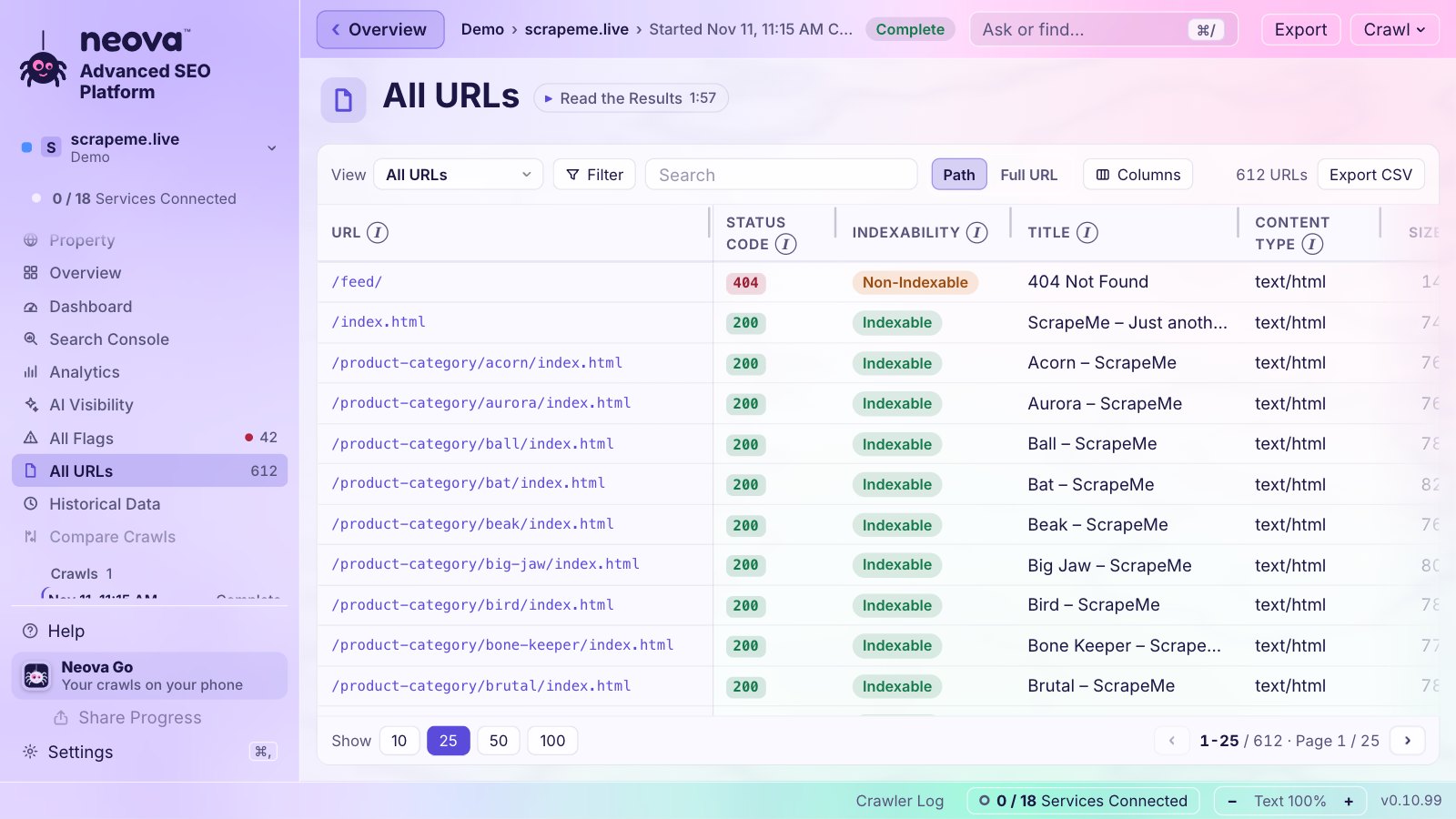
Neova marks every URL Indexable or not, and says why: status 200, no noindex, and a canonical to itself or none. The Indexability category gathers status codes, noindex, canonicals, robots.txt and HTML that breaks the head before the SEO tags. With JavaScript Rendering on, each rendered page is compared with its raw HTML. With Google Search Console connected, Neova reads Google's URL Inspection verdict for up to 200 URLs a crawl, the most clicked then the most linked, and flags indexable pages Google does not index or where Google chose another canonical. The checks behind it include:
- Noindex Directive Is Present and Noindex Differs Between HTML and HTTP Header
- Internal URL Is Disallowed by robots.txt
- Canonical Points to a Different Internal URL and Canonical Points to a Noindex URL
- Internal URL Returns 4xx, 5xx or No Response and Title or H1 Carries a Soft 404 Phrase
- Noindex Directive Is Removed by JavaScript
- Noindex URL Is Listed in an XML Sitemap
- Indexable URL Is Not on Google, from URL Inspection
- Noindex URL Received Clicks in Search Console
Indexability is steps 3 and 4 of the technical SEO audit checklist. See Features or download Neova; the Free plan crawls up to 1,000 URLs with every check.
Questions
What is an indexability checker?
A tool that reads the signals search engines use, status code, robots.txt, noindex, canonical and rendering, and reports for each URL whether it can be indexed and, if not, which signal stops it.
What is the difference between indexable and indexed?
Indexable means nothing on the page or server keeps it out of the index. Indexed means Google actually stored it. A page can be indexable and still not indexed, which only Search Console can confirm.
Does robots.txt stop a page from being indexed?
No. It stops crawling. Google can still index a blocked URL from links, without its content. To keep a page out of the index, allow crawling and use noindex.
Why is my indexable page not indexed?
Common reasons are thin or duplicate content, few internal links, Google choosing another URL as canonical, or Google not having crawled it yet. URL Inspection and the Page indexing report give the reason Google records.
Can I check indexability for a single URL?
Yes. URL Inspection in Search Console checks one URL on your own property. A crawler checks every URL of the site at once, and can crawl just a list of URLs when you only need a few.