Meta Description Checker: How to Find Missing, Long and Duplicate Descriptions
A meta description does not move rankings, but it often writes the two lines under your result in Google, and those two lines decide whether someone clicks. A meta description checker reads the description of every page and shows the ones that are missing, cut off, repeated across the site or written by JavaScript after the page loads.
What a Meta Description Checker Does
A meta description is a tag in the head of the page:
<meta name="description" content="Running shoes for women, sizes 5 to 12, free returns within 30 days. Ships from Portland in 1 to 2 days.">A meta description checker fetches each page, reads that tag and tests it against rules for presence, length, uniqueness and placement. One URL at a time is fine for a page you just published. On a whole site you want a crawler, because description problems come from templates, and templates repeat the same problem across hundreds of pages.
How Google Uses the Meta Description
Google's snippet documentation is plain about three things. The snippet usually comes from the page content, picked to match each search. Google sometimes uses the meta description instead, when it describes the page better than the text does. And there is no length limit on the tag; snippets are cut as needed to fit the device width.
| Fact | Value | Source |
|---|---|---|
| Ranking factor | – | Snippet doc |
| Maximum length | No limit | Snippet doc |
| Snippet display | Cut to device width | Snippet doc |
| Generated descriptions | Allowed, if readable and varied | Snippet doc |
So the goal is not a perfect length. It is a description good enough that Google prefers it to a random sentence from the page, and specific enough that it could only belong to that page. SEO ProCheck's title tags and meta descriptions FAQ answers the common questions on writing them.
Meta Description Rules at a Glance
The rules a meta description checker usually applies. The length lines are tool conventions; Google itself sets none.
| Issue | Flagged when | Why it matters | Priority |
|---|---|---|---|
| Missing | No description tag | Google picks page text | Medium |
| Empty | Tag has no content | Same as missing | Medium |
| Too long | Over 155 characters | Cut in results | Review |
| Too short | Under 70 characters | Little to go on | Review |
| Duplicate | Same on 2+ pages | Pages look the same | High |
| Several tags | 2+ description tags | Google may read either | Medium |
| Outside the head | Tag parsed in body | May be ignored | High |
| Only after JavaScript | Missing in raw HTML | Depends on rendering | Medium |
| Repeats the title | Same text as title | Second line wasted | Low |
Meta Description Length
Like titles, snippets are cut by width, so every character rule is an estimate. Most checkers flag descriptions over 155 to 160 characters, the range that usually fits on a desktop result.
| Length | What usually happens | Action |
|---|---|---|
| 1 to 69 characters | Shows in full, thin | Add a detail |
| 70 to 155 characters | Shows in full | Keep |
| 156 to 200 characters | Often cut on desktop | Front load the point |
| Over 200 characters | Cut | Shorten |
Put the useful part first: what the page offers, the price, the date, the location. Google's own example of a good description for a shop names what it sells, its hours and where it is. Its bad example is a list of keywords. SEO ProCheck's page on meta description length too long shows how to shorten them without losing that.
What We Found on Our Own Sites
Two crawls, two sites we run:
| Site | Date | Pages | Description flag |
|---|---|---|---|
| seoprocheck.com | Oct 17, 2026 | 4,561 HTML at 200 | 582 over 155 characters |
| neova.app | Nov 20, 2026 | 1,354 | All cut to 160 or less |
On seoprocheck.com, 582 meta descriptions ran past 155 characters, about one HTML page in eight. That count came from one crawl of the whole site, and the list of 582 pages is the work list. On neova.app we did the same job on our own pages in 15 languages: every meta description cut to 160 characters or less, on 1,354 pages. Translations grow, so a description that fits in English can run long in German; a checker that reads every language catches that.
Duplicate Meta Descriptions
Google asks for a distinct description on every page and suggests site level descriptions only for the home page and pages that list other pages. Duplicates usually come from:
- A theme default that writes the site tagline into every page.
- Category and tag pages that share one template description.
- Products with variants that each repeat the parent's text.
- Copied pages where the body was edited and the head was not.
If the pages really are the same, the fix is a canonical or a redirect, covered in the duplicate content checker guide. If they are different pages, give each a description built from its own data: product name, price, rating, author, date. Google says generated descriptions are fine on large sites as long as they read well and differ from page to page. When there is no good description to write, leaving the tag out is better than repeating one: Google then builds the snippet from the page itself.
Descriptions That JavaScript Writes
Single page apps often set the meta description in the browser. Google renders pages and usually sees it, but link previews in chat apps and many AI crawlers read only the raw HTML. A checker that does not render will report those pages as missing a description; one that renders and compares will tell you the description exists only after JavaScript runs, which is the more useful answer.
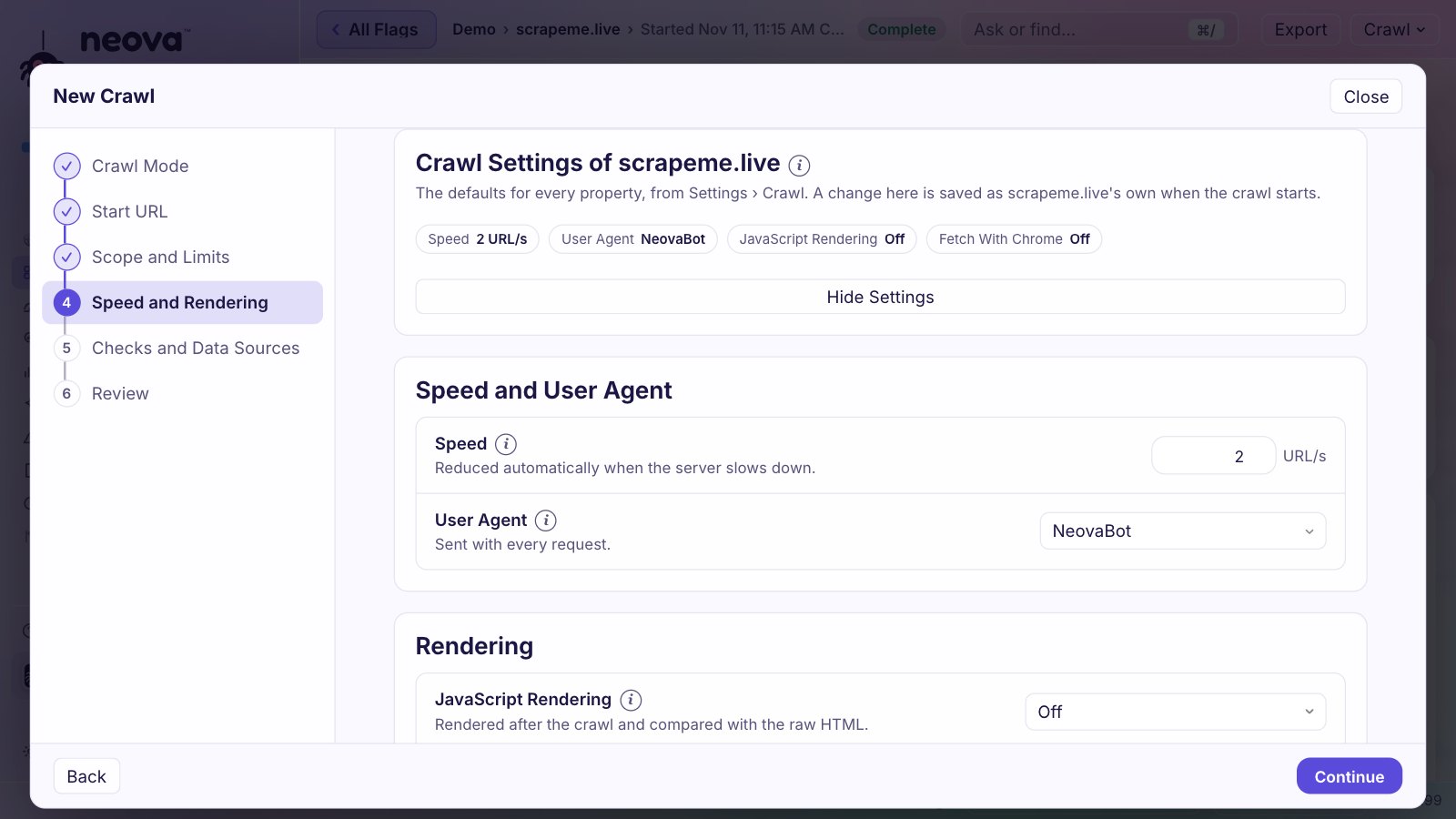
If your descriptions are set by a script, turn rendering on for that crawl. The JavaScript SEO crawler guide explains the trade offs.
How to Fix Meta Descriptions Across a Site
- Crawl every page, with rendering on if a script writes the head.
- Fix duplicates by template first. One template change can clear hundreds of flags.
- Write the key pages by hand: home page, top categories, the pages with the most impressions in Search Console.
- Generate the rest from page data, with a length cap in the template so new pages stay short.
- Check that the description and the title say different things. Two lines that repeat each other waste the second.
- Re-check the flagged pages after the release, and crawl on a schedule so a new theme does not bring the duplicates back.
Work through the title tag checker and H1 tag checker guides at the same time; the three elements are usually fixed in the same template.
Check Meta Descriptions With Neova
Neova's Content category lists every HTML page with its title, meta description and H1 and their lengths. All URLs has a Meta Description column set with filters for missing, empty, duplicate, too long and too short, and the SERP Snippet shows how a title and description read in search results. The checks:
- Meta Description Is Missing and Meta Description Is Empty
- Meta Description Over 155 Characters and Meta Description Under 70 Characters
- Duplicate Meta Description Across HTML Pages, leaving out page 2 onward of a paginated series
- Multiple Meta Descriptions and Meta Description Is Outside the Head
- Meta Description Appears Only in Rendered HTML and Meta Description Is Changed by JavaScript
- Meta Description Repeats the Title and Meta Description Repeats the H1
- Open Graph Title Over 60 or Description Over 65 Characters, for link previews
Content Changes Between Crawls shows which descriptions changed since the last crawl, before and after, and Verify Fix re-fetches only the flagged pages. The Free plan runs all 694 checks on up to 1,000 URLs a crawl. See Features or download Neova.
Questions
What is the ideal meta description length?
Google sets no limit and cuts snippets to the device width. Around 70 to 155 characters usually shows in full on desktop, which is why most checkers flag descriptions outside that range.
Why does Google ignore my meta description?
Google builds the snippet from the page text when it matches the search better than your description does. A description that is vague, stuffed with keywords or the same on many pages is the most likely to be replaced.
Do meta descriptions affect rankings?
No. They affect what people see in the result, and so how many click, not where the page ranks.
Is it bad to have no meta description?
Not always. Google writes a snippet from the page. It is better to write descriptions for key pages and leave a tag out than to repeat one description across hundreds of pages.
How do I find duplicate meta descriptions?
Crawl the site and group pages by their meta description text. Any text shared by 2 or more indexable pages is a duplicate. A crawler such as Neova lists them with the pages that share each one.