SEO Audit for Agencies: One Process for Every Client
An agency audit is judged twice: once by the SEO who reads the crawl, and again by the client who has to act on it. The crawl is the easy half. The hard half is turning thousands of flags into a short list a developer can ship, a report a manager will read, and a process you can repeat for twenty clients without mixing them up.
What Changes When the Audit Is for a Client
An in house team can work from a list of flags. A client usually cannot. The audit has to stand on its own, be read by people who do not use a crawler, and still be precise enough for a developer.
| Need | In house | Agency |
|---|---|---|
| Readers | SEO team | Manager, developers, SEO |
| Format | Crawler screens | PDF, workbook, tickets |
| Branding | – | Your logo, client name |
| Sites | One | One per client |
| Hand off | Internal board | Client's Jira or tracker |
| Repeat | When needed | Monthly or quarterly |
| Proof of progress | Nice to have | Expected every month |
Google's own page on hiring an SEO lists a review of site content or structure and technical advice on hosting, redirects, error pages and JavaScript among the things an SEO does. It also suggests clients ask what results to expect, in what timeframe, and how success is measured. A good agency audit answers those three questions on its first page.
Set Up Each Client Once
Most agency mistakes are set up mistakes: a crawl run with last month's client's exclusions, a report with the wrong logo, a ticket that lands in the wrong project. Decide these once per client and keep them with the site:
| Setting | Why it matters |
|---|---|
| Start URL and host | http or https, www or not |
| Scope | Full site, folders or sample |
| Exclusions | Carts, filters, search pages |
| Speed | Client's server limits |
| Rendering | On for JavaScript sites |
| Logins and headers | Staging, members areas |
| Check levels | Must Fix or Review per client |
| Branding | Logo, color, Prepared For |
| Tracker | Jira project, labels |
Agree on the scope in writing. A crawl capped at a URL limit is not a full audit, and the report should say so. The how to crawl a website guide covers speed and scope settings, and the technical SEO audit checklist lists what a full technical audit covers.
From Thousands of Flags to a Fix Order
Raw counts look alarming and mean little on their own. We found this on our own site: the full crawl of seoprocheck.com on October 17, 2026 fetched 10,222 URLs and raised these flags among others:
| Flag | URLs | Fix in |
|---|---|---|
| Meta description over 155 characters | 582 | Template or plugin |
| Title over 60 characters | 557 | Template or plugin |
| Duplicate titles | 56 | Page by page |
| Canonical to another internal URL | 5 | Review each |
| Images without alt text | 2 | Page by page |
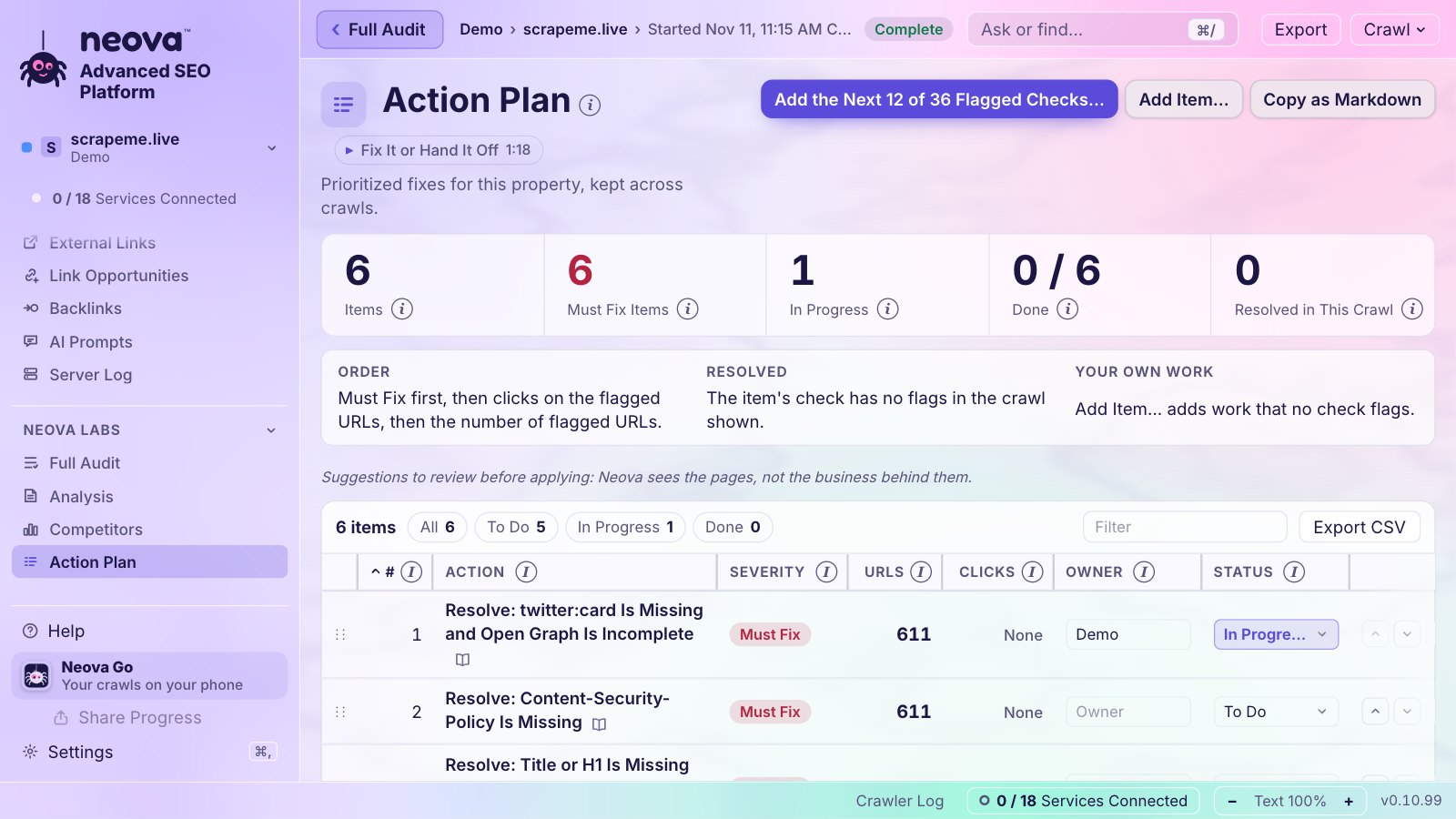
Read as a list, that is 1,202 problems. Read as work, it is two template changes, one content pass on 56 pages and a short review. That is the step that turns an audit into something a client can act on. Order the work by:
- Severity. What keeps pages out of search, such as errors, noindex and blocked URLs, before what only trims a snippet.
- Clicks at stake. Flags on URLs with Search Console clicks first.
- Reach. A fix in one template that clears hundreds of URLs beats a fix on one page.
SEO ProCheck's article on how to conduct, structure and communicate technical SEO audits goes further into the client side of this.
Deliverables: Who Reads What
One audit, several readers. Give each the format they will actually open:
| Deliverable | Reader | Format |
|---|---|---|
| Branded report | Client manager | PDF, Letter or A4 |
| Workbook | SEO lead | Excel |
| Tickets | Developers | Jira or tracker CSV |
| Action Plan | Account lead | Markdown or CSV |
| Shared sheet | Whole team | Google Sheet |
| Flagged URLs | Analyst | One CSV per check |
| Read only link | Client | Browser link |
The SEO audit report guide covers what the PDF itself should hold, section by section.
Tickets Developers Will Accept
A ticket that says "fix duplicate titles" with a list of 56 URLs gets parked. A ticket that names the rule, the evidence, the template and how to confirm the fix gets done. Each ticket should carry:
| Field | Example |
|---|---|
| Key | [ACME] Duplicate title, /blog/ |
| Priority | Must Fix or Review |
| Rule | Same title on 2+ pages |
| Evidence | Title text, 3 example URLs |
| Affected URLs | Attached list |
| Where to fix | Blog post template |
| Done when | 0 duplicates on next crawl |
| How to check | Re-crawl the folder |
One ticket per check and page group keeps the count manageable: 56 duplicate titles in one template are one ticket, not 56. The next crawl then closes the ticket when the flags are gone, or reopens it when they come back, so the client sees progress without anyone updating the tracker by hand.
Many Clients Without Mixing Them Up
- Group by client. Keep each client's site and its competitors together, so a report never pulls numbers from the wrong place.
- Give each site a short code such as ACME, and put it at the start of every ticket and file name.
- Schedule the repeat crawls on quiet hours for each client's server, and send each client's results to its own channel.
- Share screens safely. Hide every other client before a call.
- Keep history. Month two of a retainer is easier to sell with month one's numbers beside it.
Comparing a client with its competitors also helps the conversation. The advanced SEO crawler guide covers competitor crawls side by side. SEO ProCheck's glossary entry on the SEO agency sums up the role in short.
What Not to Promise
Google is direct about this: no one can guarantee a #1 ranking, and its page on hiring an SEO tells site owners to find someone else if an SEO does. An audit lists what is broken and what is likely to help; it cannot see the client's business, budget or roadmap. Say so in the report, and phrase suggestions as things to review before applying.
| Safe to promise | Not safe |
|---|---|
| Every URL crawled, with date | A ranking position |
| Flags with the rule behind them | A traffic number |
| Fix order and effort | Results by a date |
| Re-crawl to confirm fixes | Google indexing every page |
Agency Audits With Neova
Neova is built for this workflow, on :
- Portfolios group properties by client, with sub-portfolios one level deep; each property gets a color and a 2 to 6 letter code, and its competitors sit under it on Home.
- Settings per Property and Check Switches per Property keep each client's crawl setup and check levels for every later crawl.
- Branded Report (PDF) with your name, logo and color, set per property with Prepared For and Prepared By. All Flags Workbook in Excel and a Google Sheet with Owner, Status and Due columns.
- Tickets, one per check and page group, Must Fix first, each starting with the property's code. Send to Jira creates them in your Jira Cloud project and keeps them in step after each full crawl; import files cover Linear, Asana, ClickUp, monday.com and five more trackers.
- Client Pack (ZIP) bundles the PDF, the workbook, the tickets, the Jira and Linear files and every flagged URL as one CSV per check, with a README.
- Share a Link gives the client a read only, encrypted link to the crawls and files you tick. Presentation Mode blurs every other portfolio during a call.
- Up to 4 sites crawl at once in one window, and scheduled crawls post to Slack or Microsoft Teams per portfolio or property.
Checks that come up in almost every client audit:
- Internal URL Returns 4xx, 5xx or No Response
- Internal URL Is in a Redirect Chain
- Noindex Directive Is Present
- Indexable URL Is Not in Any XML Sitemap
- Duplicate Title Across HTML Pages
- Title Over 60 Characters and Meta Description Over 155 Characters
- HTML Is Over 2 MB or Core Web Vitals Miss the Good Range
The Free plan crawls up to 1,000 URLs with all 694 checks, enough to try the whole workflow on a small client. See Features and Pricing.
Questions
What should an SEO audit for a client include?
A summary in numbers, the issues in fix order with example URLs, the effort and owner for each, what changed since the last audit, and how the crawl was made. Developers also need tickets with the rule, the evidence and a clear done when.
How often should an agency audit a client site?
A full audit at the start, then a repeat crawl every month on a retainer, or every week for large or fast changing sites. Each repeat should show what was fixed, what is new and what came back.
Can I put my agency's logo on the audit report?
Yes. A white label or branded report carries your name, logo and color. In Neova each property can have its own branding, with Prepared For and Prepared By lines.
How do I send SEO audit findings to Jira?
Group the flags into one ticket per issue and template, then create them in the client's Jira project with priority, labels and the URL list attached. Neova's Send to Jira does this and updates the tickets after each full crawl.
How do I keep many client audits apart?
Group each client's sites and competitors in their own portfolio, give each site a short code used in every ticket and file name, and save each client's exports and messages to its own folder and channel.