Cumulative Layout Shift (CLS): What It Measures and How to Fix It
Cumulative Layout Shift measures how much a page jumps around while people use it. You go to tap a link, an ad loads above it, and you tap the wrong thing. CLS turns that into a number, and Google wants it at 0.1 or less. Most layout shifts come from a handful of causes, and almost all of them are fixed in the template, once.
What Is Cumulative Layout Shift?
Cumulative Layout Shift (CLS) is the largest burst of unexpected layout shifts during the whole life of a page. A layout shift happens when a visible element changes position from one frame to the next without the visitor asking for it. It is one of the three Core Web Vitals, next to Largest Contentful Paint and Interaction to Next Paint.
Unlike the other two, CLS has no unit. It is a score: 0 means nothing moved, and every shift adds to it based on how much of the screen moved and how far.
CLS Thresholds at a Glance
| Rating | CLS at the 75th percentile |
|---|---|
| ✓ Good | ≤ 0.1 |
| ◐ Needs improvement | 0.1 to 0.25 |
| – Poor | > 0.25 |
The lines are from web.dev. Google reads the 75th percentile of real visits over 28 days, for phones and desktops separately. A single shift can be enough to fail: web.dev's own example, an element covering half the viewport that moves down by a quarter of it, scores 0.1875 on its own.
Why it matters beyond the score: a shift at the wrong moment makes people tap the wrong link, lose their place in an article or press Buy on the wrong item. Layout shifts are also a sign of a template that does not know its own sizes, which tends to cause other problems, such as slow LCP when the hero image is sized only after it loads.
How the CLS Score Is Calculated
Each shift gets a score:
layout shift score = impact fraction x distance fractionThe impact fraction is the share of the viewport the moving elements cover, before and after the move put together. The distance fraction is how far they moved, divided by the viewport's largest side. Shifts are then grouped into session windows, and CLS is the window with the highest total.
| Rule | Value | Source |
|---|---|---|
| Gap that ends a session window | 1 s | web.dev |
| Longest session window | 5 s | web.dev |
| Shifts ignored after a tap or key press | within 500 ms | web.dev |
| Scroll counts as input | – | web.dev |
| Shifts after load counted | ✓ | web.dev |
Two things follow. Shifts a visitor causes, like opening an accordion, do not count if they happen within 500 ms of the tap. And shifts after the page has loaded, such as a banner that slides in on scroll or an infinite list that pushes the footer, do count, which is why field CLS is often worse than the lab number.
Common Causes of Layout Shift and Their Fixes
| Cause | Fix |
|---|---|
| Images without width and height | Set both, or aspect-ratio |
| Ads, embeds, iframes load late | Reserve their space |
| Content injected above content | Insert below, or reserve space |
| Cookie or promo banner pushes page | Overlay it, fixed position |
| Web font swaps with new metrics | font-display, size-adjust |
| Animating top, left, width, height | Animate transform instead |
| Late CSS changes the layout | Load layout CSS first |
| Skeleton the wrong size | Match the final size |
Images and ads are the two big ones. SEO ProCheck tells the story of how BuzzFeed worked through both in Improving CLS at BuzzFeed, and how they used real-user data to find the rest.
Fixing the Most Common Shifts
Images and video: give the browser the size
With width and height in the HTML, modern browsers compute the aspect ratio and hold the space before the file arrives, even when CSS makes the image responsive:
<img src="/img/product.webp" width="800" height="600" alt="Blue canvas sneaker, side view">

/* CSS: still responsive, space still held */
img { max-width: 100%; height: auto; }
Ads and embeds: reserve a slot
Give the container a minimum height equal to the most common ad size for that slot. If the ad does not fill, keep the space rather than collapse it, or collapse it only below the first screen.
.ad-slot-top { min-height: 250px; }Fonts: swap without reflowing
font-display: swap shows text at once, in a fallback font. If the fallback is wider or taller, the text reflows when the web font arrives. Match the fallback's size with size-adjust and the metric overrides, or preload the font so it usually arrives before the first paint. web.dev's guide to optimizing CLS covers each case.
Animation: move with transform
An animation that changes top or margin shifts everything around it. One that uses transform: translate() moves only the element and is never counted as a layout shift.
How to Find What Shifted
| Tool | Field | Lab | Names the element |
|---|---|---|---|
| PageSpeed Insights | ✓ | ✓ load only | ✓ |
| Search Console Core Web Vitals report | ✓ | – | – |
| Chrome DevTools Performance panel | – | ✓ | ✓ |
| web-vitals library | ✓ | – | ✓ with attribution |
A Lighthouse run only sees the load, on one screen size, with no scrolling and no consent choice. If the field CLS is poor and the lab CLS is fine, the shift almost always happens later: after scroll, after a cookie choice, or on a screen size the test did not use. Record a DevTools trace while you scroll and click, and look at the Layout shifts track. SEO ProCheck's CLS too high diagnosis page lists more places to look.
Test each template once rather than every page. A product template with unsized images shifts on every product. The bulk page speed test guide shows how.
Find Layout Shift Problems With Neova
Neova reads field CLS from the Chrome UX Report with your free API key, per page group and with a 40-week trend. During a crawl it also finds the causes that sit in the HTML on every page, and with Lighthouse on it measures lab CLS on one HTML page per page group. The checks:
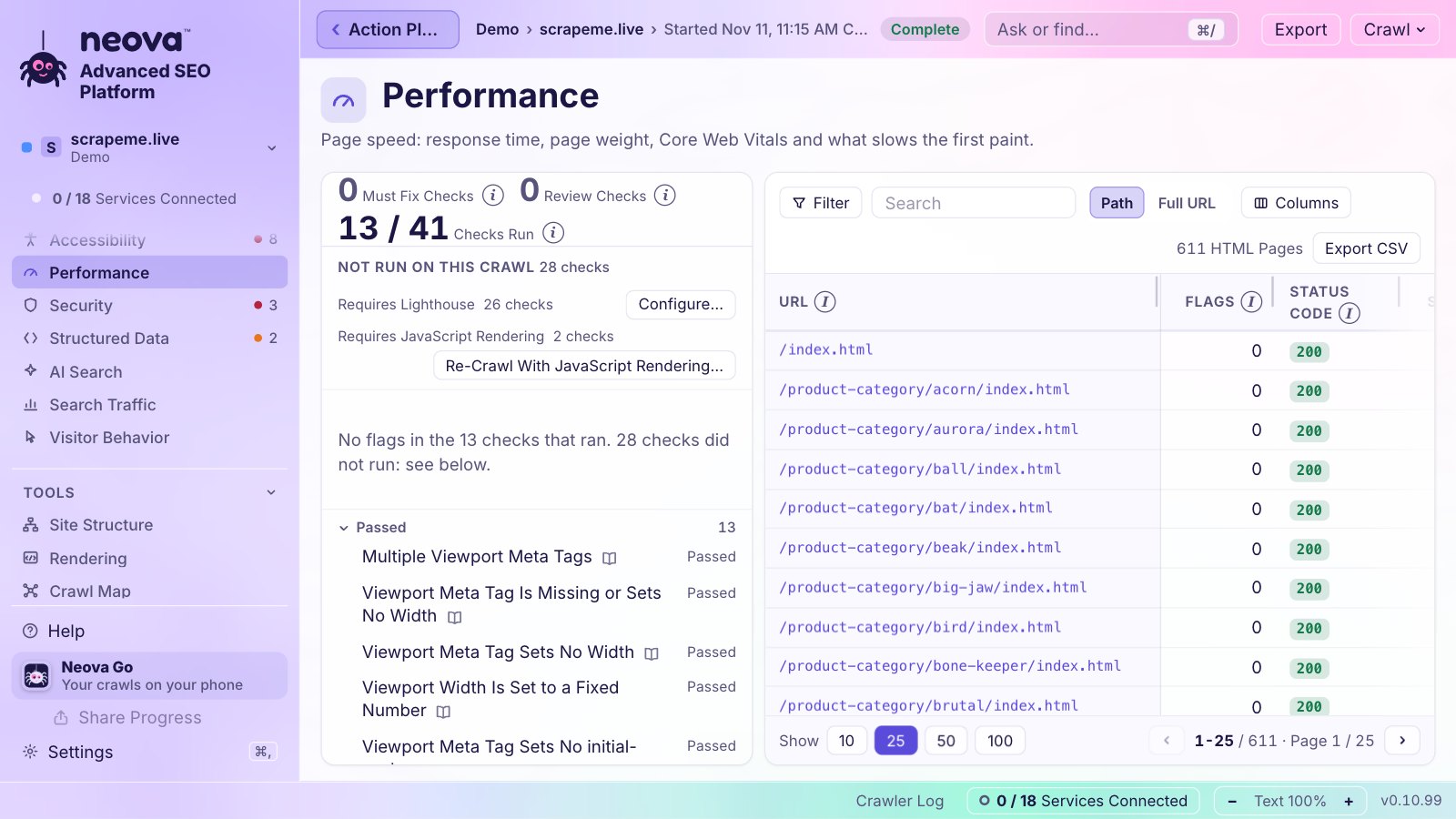
- CLS Is Over 0.1 in Lab or Field Data
- HTML Is Over 2 MB or Core Web Vitals Miss the Good Range
- Image Width and Height Are Not Set, on every crawled page, no Lighthouse needed
- Web Font Lacks Font-Display Swap or Optional
- Animations Are Not Composited
- Image Is Displayed at the Wrong Aspect Ratio, with JavaScript rendering on
Every check runs on every plan, Free included, on . The other two metrics are covered in largest contentful paint and interaction to next paint. See Features or download Neova.
Questions
What is a good cumulative layout shift score?
0.1 or less at the 75th percentile of real visits. Between 0.1 and 0.25 needs improvement, and over 0.25 is poor.
Does CLS count shifts after the page loads?
Yes. CLS covers the whole visit and reports the worst burst of shifts, a session window of up to 5 seconds. Shifts within 500 ms of a click, tap or key press are left out, because the visitor expected them.
Why is my CLS 0 in Lighthouse but poor in the field?
Lighthouse sees only the load on one screen, without scrolling or a cookie choice. Real visitors scroll, accept banners and use other screen sizes, and the shifts happen then.
Do images need width and height if CSS sets the size?
Yes. With width and height in the HTML, the browser knows the aspect ratio before the image loads and holds the space, while CSS still controls the displayed size.
Can a layout shift happen with no visible content moving?
No. Only visible elements that change their start position count. An element that appears without pushing anything else does not shift the layout; one that pushes other content down does.