Noindex Checker: How to Find Noindex Pages Before They Cost You Traffic
One line of HTML keeps a page out of Google. That is exactly what you want on a thank you page, and exactly what you do not want on the product page a developer forgot to switch back after launch. A noindex checker tells you which pages carry noindex, where it was set and whether Google can even see it.
What a Noindex Checker Does
A noindex checker fetches a URL and reads two places: the meta robots tag in the HTML and the X-Robots-Tag in the HTTP response header. It reports whether either one says noindex or none, and for which crawler.
Checking one URL answers a quick question. Checking every URL of a crawl answers the useful ones: which indexable pages you meant to rank carry noindex, which noindex pages are still in your XML Sitemap, and which ones Google cannot read because robots.txt blocks them.
Two Ways to Set Noindex
Google's page on blocking indexing with noindex says both methods have the same effect. Pick the one that fits the file type.
| Method | Where it lives | Works on | Seen in |
|---|---|---|---|
| Meta robots tag | HTML head | HTML pages | Page source |
| X-Robots-Tag header | HTTP response | Any file, PDFs, images | Response headers |
| robots.txt noindex line | robots.txt | – not supported | Ignored by Google |
<!-- in the <head> -->
<meta name="robots" content="noindex">

# as an HTTP response header
X-Robots-Tag: noindex
Replace robots with a crawler name, such as googlebot, to aim the rule at one crawler. SEO ProCheck's meta robots and X-Robots-Tag reference lists every value.
Robots Directives at a Glance
The values Google documents in its robots meta tag specification, and what each one does:
| Directive | Effect | Common use |
|---|---|---|
noindex | Not shown in results | Thank you, internal search |
nofollow | Links on page not followed | Untrusted user pages |
none | noindex plus nofollow | Rarely the right choice |
nosnippet | No text snippet | Paywalled or legal text |
max-snippet:[n] | Snippet up to n characters | Shorter snippets |
unavailable_after:[date] | Dropped after the date | Events, offers |
index, follow | Default, no effect | Can be left out |
When two directives conflict, Google applies the more restrictive one. A page with index in the HTML and noindex in the header ends up not indexed.
Noindex Mistakes That Hide the Wrong Pages
| Mistake | Effect | Fix |
|---|---|---|
| Staging noindex left at launch | Whole site drops out | Remove it, recrawl |
| Noindex plus robots.txt Disallow | Noindex never read | Allow crawling |
| Noindex removed by JavaScript | Google may skip rendering | Serve the final tag |
| Noindex URL in XML Sitemap | Mixed signals | Drop from sitemap |
| Canonical plus noindex | Conflicting signals | Choose one |
| Meta robots outside the head | Tag may be ignored | Move into head |
| Header and HTML disagree | Stricter one wins | Keep one source |
| Hreflang points to noindex | Language set breaks | Point to indexable URLs |
The second row is the most common surprise. Google says that if robots.txt blocks a page, the crawler will never see the noindex rule, and the URL can still show up in results from links alone. The third comes from Google's JavaScript SEO basics: when Google finds noindex in the original HTML it may skip rendering, so a script that removes it later may never run. The robots.txt tester guide covers the crawling side.
How Long Noindex Takes, and the Faster Options
Google drops a page once it crawls it and reads the noindex. That depends on when it comes back, and Google says it may take months for some pages. Pick the tool by the goal:
| Goal | Use | How fast |
|---|---|---|
| Out of results now | Removals tool, then noindex | Fastest |
| Out of results for good | noindex, 404 or 410 | Next crawl |
| Crawled but not indexed | noindex | Next crawl |
| Not crawled at all | robots.txt Disallow | Next robots.txt fetch |
| Back into results | Remove noindex, request indexing | Days to weeks |
The Removals tool only hides a URL for about six months, so the page still needs noindex, a 404 or a 410 behind it. Use URL Inspection's Request Indexing for a handful of important pages after you fix them.
How to Check Noindex by Hand
For one URL, check both places. The header first, then the HTML:
curl -sI https://example.com/page | grep -i x-robots-tag
curl -s https://example.com/page | grep -io '<meta[^>]*robots[^>]*>'
Then check what Google saw. In Search Console, URL Inspection shows the HTML Googlebot received, and the Page indexing report lists every page excluded as URL marked 'noindex'. Look at that list after every release: a page you want in search should never be on it.
Two catches with manual checks. A site may answer a crawler user agent differently from a browser, and a tag that JavaScript adds only shows in the rendered HTML, not in curl. A crawler that fetches both the raw and the rendered HTML sees both.
Check a Whole Site for Noindex
- Crawl the site from the home page, with JavaScript rendering on if the site depends on it.
- List every non-indexable page by reason: noindex, canonical to another URL, error status or blocked.
- Sort the noindex pages by template. One template with noindex can hide hundreds of pages at once.
- Compare with your XML Sitemaps. Every listed URL should be indexable. On our own crawl of seoprocheck.com on October 17, 2026, the sitemaps listed 1,835 URLs while 4,561 HTML pages answered 200, which is why both lists need checking against each other.
- Join Search Console clicks. A noindex page that still gets clicks was ranking until recently, which is often a sign of a mistake.
- Crawl again after each release and compare, so a new noindex shows up the day it ships.
The indexability checker guide covers the other reasons a page cannot be indexed, and the XML sitemap checker guide covers the sitemap side.
Find Noindex Pages With Neova
Neova marks every URL Indexable or Non-Indexable and says why: status 200, no noindex, canonical to itself or none. The Directives column set in All URLs shows the robots directives of every URL, with Noindex and Nofollow filters. Migration and Staging compares a staging crawl with production, noindex included, so a staging noindex does not reach launch unnoticed.
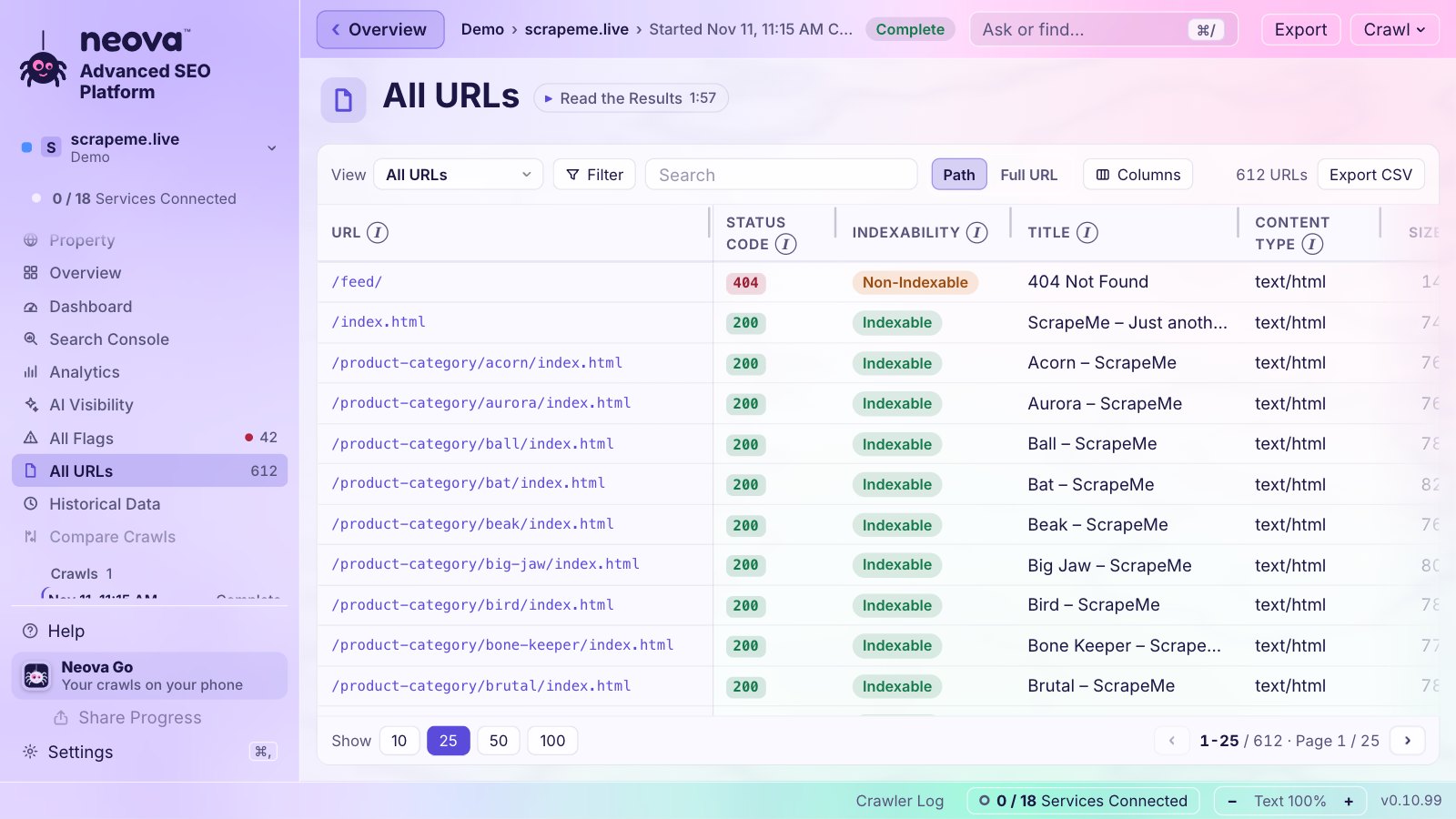
The checks behind it include:
- Noindex Directive Is Present and Noindex and Nofollow Directives Are Present
- Noindex Differs Between HTML and HTTP Header and Noindex Declared More Than Once
- Noindex Directive Is Removed by JavaScript
- Meta Robots Tag Is Outside the Head
- Noindex URL Is Listed in an XML Sitemap
- Canonicalized URL Is Noindex and Canonical Points to a Noindex URL
- Internal Redirect Ends on a Noindex URL and Hreflang Points to a Noindex URL
- URL Is Only Linked From Noindex HTML Pages
- Noindex URL Received Clicks in Search Console, once Search Console is connected
- unavailable_after Date Has Passed or Is Invalid
The Free plan crawls 1,000 URLs a crawl with every check, on Mac, Windows and Linux. Download Neova or see Features.
Questions
How do I check if a page is noindex?
Look for a meta robots tag with noindex in the page source and an X-Robots-Tag header in the HTTP response. URL Inspection in Search Console shows what Googlebot saw. For a whole site, crawl it and filter non-indexable pages by reason.
Does noindex work if the page is blocked in robots.txt?
No. Google has to crawl the page to read the noindex. If robots.txt blocks it, Google never sees the rule and the URL can still appear in results from links. Allow crawling until the page has dropped out.
Is noindex in robots.txt supported?
Not by Google. Google stopped supporting noindex lines in robots.txt in 2019. Use the meta robots tag or the X-Robots-Tag header instead.
How long does it take for a noindex page to leave Google?
Until Google crawls the page again, which can be days for busy pages and months for rarely crawled ones. For urgent cases, use the Removals tool, which hides the URL for about six months while the noindex takes effect.
Should noindex pages be in my XML sitemap?
No. A sitemap should list the pages you want indexed. A noindex URL in it sends mixed signals.